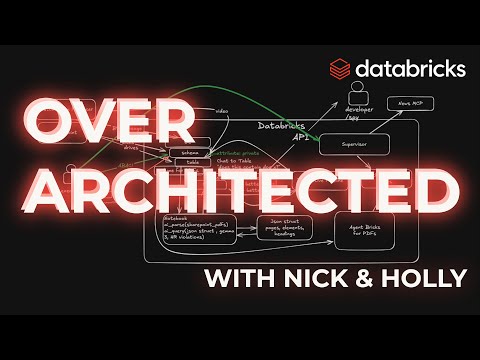
Over Architected with Nick & Holly: Databricks updates for August 2025
Summary
- SharePoint Connector in Beta: Databricks introduces a beta SharePoint connector for LakeFlow that enables direct PDF, PowerPoint, and Excel document ingestion from SharePoint without additional S3 intermediary steps.
- AI Document Parsing: New capabilities for document extraction and AI-powered parsing help teams process unstructured content like PDFs and documents more efficiently for AI applications.
- Governance and Pipeline Innovations: The August release includes updates to governance features, foundation models, AI improvements to Genie, declarative pipelines for transformations, and Agent Bricks features.
Over Architected with Nick & Holly: Databricks updates for August 2025
Hated this podcast? Why not replace us with an RSS feed: https://docs.databricks.com/aws/en/release-notes/#databricks-release-notes-feed
Databricks platform release notes: https://docs.databricks.com/aws/en/release-notes/product
SQL release notes: https://docs.databricks.com/aws/en/sql/release-notes/2025
AI/BI release notes: https://docs.databricks.com/aws/en/ai-bi/release-notes/2025
Chapters
0:00Introduction0:20Least favorite feature0:59SharePoint connector4:48AI document parsing8:41Bring your own lineage13:50Foundation model updates16:42Governance updates20:15Genie AI improvements24:42Declarative pipelines28:40Agent Bricks features33:34Final thoughts and ratings
FAQs
What is the SharePoint connector and what's its status?
The SharePoint connector is a new LakeFlow ingestion component currently in beta for all customers. It allows direct connection to SharePoint sites and drives to ingest documents like PDFs, PowerPoint, and Excel files without needing an intermediate S3 bucket. Currently, it's API-only with no UI yet.
How does the SharePoint connector authenticate to SharePoint?
The connector supports OAuth 2.0 (O2M) authentication and manual token-based authentication. It includes site-level isolation where sites map to schemas and drives map to tables, with metadata, file IDs, content, sequencer IDs, and deletion tracking included in ingestion.
What are the limitations of the beta SharePoint connector?
Currently the SharePoint connector is API-only without a user interface. Users must set up connections programmatically and may need to use UDFs to copy files to volumes or blob storage for downstream processing like chatbots or CSV handling.
What other features were released in August 2025?
The August release includes AI document parsing capabilities, governance updates, foundation model enhancements, Genie AI improvements for business intelligence, declarative pipelines for data transformation, and Agent Bricks features for advanced automation.
Full transcript
0:00 Introduction
Then you know it does become a little bit interesting how you measure the improvement. I come on this call with you and I'm like hey I got so much smarter last week. I wouldn't be able to tell you how but I did. >> In fact our performance review is coming up for mid year. So I'm just going to clip this and send it to our boss. >> I did better this year. I just vibes bro. This is the podcast where we talk about new features in data bricks and then try to shoehorn them into one architecture to see if it's actually realistic.
0:20 Least favorite feature
And I actually am going to start with a least favorite feature from the last 30 days, Uh, and that is that data bricks docs has an RSS feed which now ultimately makes us completely obsolete. >> Wow. Yeah, I like that. That's my favorite feature. I disagree. >> Okay, end of podcast. Bye. >> Yep. I'm good with that. Let's let's call it. >> Uh well, we still have some things to talk about from this month. So, I think I'm going to start with one that uh is someone who's been talking about a lot of like AI projects that you've been wanting to do and kind of document extraction.
0:59 SharePoint connector
The thing that I want to talk to you about this week is about our SharePoint connector which is now in beta for every customer to try. So, if you're not familiar with this, this is part of LakeFlow as part of the ingest. Um, and this allows you to connect to SharePoint sites and also to the drives as well. So, if you want to be able to ingest, you know, documents, PDFs, PowerPoint, Excel files, this is something that you want to able to do straight from SharePoint without needing something like an S3 bucket in between with that extra step.
It is in beta and that means that it is API only at the moment. So, there's not a UI yet. So in terms of the authentication, you can use UT U2M authentication. Um you can do like a manual token but it will need some refresh and it will need to um use compute as well. It has site level isolation and a site maps to a schema um and then a drive to a particular table. And so within that table uh you'll have the file ID, the metadata, the source of the metadata, the actual content itself, um the sequencer ID and also any deletions for kind of uh sed2 stuff.
So the first step is to go up and set up that connection. Um you then have to have a UDF to copy it to a volume um or even to a blob file. So, if you are doing work with chat bots or if you're scooping up a bunch of CSV files uh and you don't want to have that extra step in between, this is a really good feature. >> Nice. Is it uh sorry, I probably missed this at the very beginning. This is part of LakeFlow. So, this will appear in the UI like you said API only, but this will be just like one of like the Salesforce connector we have like this is where this lives. >> Yes.
Yes. Yes. Yes. So, >> got it. So, yeah. Yeah. So, it's API at the moment, but once um it's out of beta, it will have that UI. So, if you go to LakeFlow ingest, um it'll be one of the drop down options at the moment. >> I guess I'll just draw exactly what the feature is. Exactly what you said. drives I guess is the thing that I can write. That's the specific thing. >> Yeah. So, sites. So, a SharePoint site max maps to a schema >> and then the drive maps to a table >> like a table. >> Okay.
Well, then I will write that in a little bit more details there. >> Exactly. If you have um like isolation on particular things. So if you've got like one site for I don't know like one particular department and then it kind of breaks down into team that's the way that you you would separate this out. >> Now I'm wondering because now I have a data brick square which could be an infinite number of things. Uh so let's do UC and under this guy let's do actually Ctrl + CRL + V uh make this even smaller do table and make two lines that go from SharePoint to schema and then also same originating point table and then here we'll write uh these are the sites >> and these are the draws There we go.
Okay, >> we don't really have a contextual use case yet. This is just technical. >> Let's fill it in from there. >> Yeah, we'll we'll build our pipeline and then decide what we need to use it for later. Like all good number of connectors um and soon it'll take over the world. Very exciting. >> Uh my turn. Yes. >> My turn. All right. Uh AI in data bricks which can mean so many things but uh let's focus two two things.
4:48 AI document parsing
The first thing uh very excited for is being able to explore a specific table um with an LLM. So uh this in my view was a huge missing gap in the product and now we filled it. It's very exciting. So now you can select any table in UC catalog and in the sample data uh plane you can chat with that table directly. We've talked about Genie, but Genie is uh you know its own space and it's on many different tables and it's really configurable.
This is for when you really quickly want to prototype being able to use an LLM to chat on a table that simple. Um the interface is a lot like Genie. Um so it's very familiar. it's uh kind of embedded into the platform and I think a huge step forward in uh letting basically anybody speak to a table and not having to necessarily know or laboriously write SQL or Python or god forbid Scola. Um function kind of our AI function suite um for parsing documents.
So you can now parse PDFs uh and image files. I'm going to say JPEGs and PNGs. Ps. I don't know how you say it. PNG. >> But how else would you say PNG? >> I don't say PNG ever. This is the first time I've ever said it. I don't know. I don't have any tech friends. I don't ever say PNG to anybody. >> You can cut that one out. >> No, absolutely not. If you'd like to be friend, why not leave a comment down below? table with an LLM, um, this function just completes out the suite of our AI functions. >> Okay, so uh I guess my turn to start adding to our diagram and I'm going to start by making this box a lot bigger because we're going to have lots of stuff in data bricks.
Uh, okay. So, the first thing was kind of uh chat to table in uh sorry, what was it like? LLM chat >> explore table data with an LLM >> uh chat table. Uh I uh and I think we're just going to do something kind of like uh does does this contain uh I don't know document X or whatever. Uh and we can just check that we've got the right table before we then go ahead and do our analysis. If it is uh we then have uh a notebook which we never specify but let's say it's a notebook and we're going to use AI pass for is it PDFs that we've got at the moment >> documents but yeah it supports images and PDFs. >> Okay.
So that's uh PDFs um and that's going to come from um our um SharePoint PDFs. SharePoint PDFs. This is like this isn't even pseudo code at this point. This is just bad. >> I think everybody understands um who has the patience to watch us do this. when we pass it like what is the output of this? It's it's a structured JSON and it has a few fields like uh pages and elements um and then whatever text that was parsed out. >> Uh okay.
So, okay. So, like pages uh elements like titles and things or headings >> and I don't know what we're going to be doing with that. But, how's that? >> It's good. It's great. >> Thanks. >> What's next? So next up we have bring your own lineage for Unity catalog. So yes, >> we recognize that sometimes sometimes you might use tools that aren't data bricks. We're not angry at you. We're just disappoint No, it's fine. Um now you can bring your own lineage.
8:41 Bring your own lineage
So where you've got that lineage diagram within Unity catalog, now you can start adding to it as well for things that list uh exist outside of data brick. If you're uh ingesting from a source system that is something that you you can't replicate in data bricks but you want to have that there because that is very crucial for your understanding of how people use this data or maybe you're then pushing it into something like a dashboard like a PowerBI that is something you can also now add to the lineage.
Uh and to do this there are two steps. The first thing that you're going to do is a create an external metadata object in Unity catalog. Uh and where you've got that you are then going to name it. um you're going to uh tell us what system that object is from. Uh you can say the type uh you can say the description and also the column level as well. You can do that within the a uh within the UI or you can do it with the API which realistically is how you're going to be doing this.
From there you then create the actual lineage itself. Uh so that's the relationship between this new object um and the things that you want to map it towards. So again, like do you want to map it to a table and which columns? Uh if it's a model or even a path for a volume as well. Uh and again that's done with UI and the API as well. You're probably going to be doing it programmatically. You can do this for upstream.
You can do downstream. So this isn't a crawler. So it's not something that you know if you update that table downstream um or upstream. It doesn't necessarily change that automatically. Um, and it's not going to appear in lineage tables either. Um, there is um, there are tables and the APIs that you can use to be able to extract that, but because that's something that we can't kind of guarantee that doesn't appear in the system tables for lineage. >> How does that sound? >> Um, like an amazing feature.
Um, a little confused on how to actually use it. What would be the canonical example of an like why did we build it? like what's an external system that everybody's using that we want to support tracing for. >> So for example, maybe you have a pipeline that lives in I don't know uh Redshift or maybe it's like an Azure data factory or maybe it's in SharePoint. So for example, let's say you had a bunch of CSVs and you use one CSV to make another CSV to make another CSV and then you finally ingest that. could ingest that from SharePoint.
So maybe that's a way that we could uh we could have this here. So the system type could be Tableau, PowerBI, Looker, CFKA, SAP, Oracle, Salesforce, Workday, MySQL, Postgress SQL, Microsoft SQL Server, Service Now, Amazon Red Shift, Azure Signups, Snowflake, Google BigQuery, Microsoft Fabric, MongoDB, Terodata, Confluent, and of course data bricks. >> Interesting. Okay. So it is um there's some structure here. It's not as open-ended.
Like I could call my let's say I have a custom source system that's producing something. I couldn't create metadata that signifies that this is coming from system you've never heard of. Or can I? >> Yeah. So you can have an other. >> You can have another. You didn't say other. >> Sorry. I didn't want to start with other. architecture of entirely others. You can just add that into like the properties. There's like a key value properties section if you wanted.
Um there's also the description um as well. >> Okay, let's let's do that then. Um I'm I'm going to pretend we do have kind of custom custom data producer. Again, I like this uh diagram this time because we've completely ignored any real semantic like use case here. It's all just technical. Um so we have a custom data producer. Um, and we how would I draw this on the diagram that I can now add metadata to it? Like where is my entry point to using this feature? >> Unity catalog. >> Unity catalog.
Yes. >> So I have to register this custom data producer into Unity catalog somehow or >> no, you just say that you just like have you register the external source >> um and you say this is a source and then the box appears in your lineage. Um, and then you describe how that box connects to the other boxes. >> Got it. Got it. Okay. So, really all I have to do is say this. So, we do an UC. What's the feature called exactly?
External lineage or something. >> Uh, bring your own lineage. >> Oh, B Yo lineage. There we go. Wow. Things are so simple when you just have to drop them. all >> okay let's talk foundation model features in the last month some two two cool new things first is um new release new new model supported in our foundation models um Google Gemma 3 uh suite of models uh specifically the 12 billion uh model version um as usual not much specifically I can say for kind of it's like every month we have a new model something new that we support.
13:50 Foundation model updates
So really what I what I can say is it's 12 billion so it's on the smaller side. Um it's multimodal so supports all kind of usage image um text um and I think it's geared more towards enterprise use cases that are looking for high performance but not necessarily some huge 405 billion uh size model. So um this is going to be much quicker I think. Um the second uh piece on in the foundation model kind of world or kind of our our model hosting in general is uh custom rate limits for um model serving also it's just like a quality of life thing.
Um but basically kind of at a at a user level in different granularities you can control the limits of how many people can use your API. Um so your model serving endpoint which could be um kind of anything a foundation model a custom model that you brought up uh yourself. >> So this AI pass you can like swap in and out your own model can't you? >> You cannot. >> Okay. But I can use AI query with a custom model. >> Yes.
Yeah. Yeah. You can to any model that's within the data bricks uh environment. >> Okay then. So I am going so I've got AI pass. Uh, I'm also going to put AI query in here. I don't know what I'm going to query. Uh, I need some good ideas for that. Uh, am I going to use uh Gemma to do that? Is that how it's spelled? >> Uh, G E M A3. >> Three. Gemma 3. Okay. Uh, and what are we going to query uh with this? Maybe we >> I need to scan all jumbotron footage for any incidences. couldn't we?
Uh, so I have >> you can parse document parse document >> video stream >> of a concert of some some concert. I don't know which concert. >> I don't think you can get video from um SharePoint yet. >> You do know you're going to have to cut like all of this, right? This isn't we've complet we've completely taken a massive turn. Maybe if I you can get video from our custom producer. How about that? That's going to go into the table there.
Hang. Let's Let's >> I guess it would go into a volume technically, but that's okay. >> That's That's fine. That's fine. That's fine. >> Okay. The volume can be in the schema. There we go. >> I like that. Yeah. >> Okay. And you know what? Our next feature is actually really going to help us because we can't just have anyone looking at these tables. Um and we need to have attribute- based access control. And that is all around having >> managed by tags and having all of your access policies managed by that.
16:42 Governance updates
So we've previously had kind of individual and group based um ways of accessing data and tables and schemas and securables. Um but tags are much better for things like data sensitivity. For example, I could mark this um the table and these results as something that is very confidential and only the right people who have that level of security can be able to access um the tables that we are creating here. And so this can happen on the catalog, the schema and the uh table level.
And any child objects are going to inherit this as well. So, if we've got a schema or if we've got a catalog where we put this kind of super sensitive tag on, that means that everything else below it is going to inherit it. Uh, if we wanted to be a bit selective about what who can view what rather than just kind of denying access to everyone, you can also use UDFs for row filtering or also column masking as well. You get audit logging for all of these two and they end up in system table.
So, not only can I start my project, I can also then see who has been accessing these tables, who has been reading them, uh, and are the subject of our potential HR violations aware of what we're doing. >> Okay. Uh, so I'm not a governance expert. The attribute, it's like um there's users, groups, things like this. Um, that's kind of one entity. There's the assets that you have, that's UC and whatever whatever else might be.
And normally you could assign access to uh a user or a group and so if a user is part of a group so on and so forth. >> And so now we have this attribute based. So it's kind of a new thing in between. Right? Am I understanding that correct? >> Yeah. So you tags are securable. So instead of having to say table one has PII, table two has PII, table four has PII and having to do it manually, you can just tag those tables and then dynamically, you know, you can have attach the tags to them and then any table that gets made with that tag then inherits the um the controls for everything else with that tag. >> I don't know where to put it. >> Uh so you could put it on the table or the schema. >> Yeah.
Yeah. No, in terms of which assets it can belong to, that's that's clear. But um how do we all right you know what I'll just draw little people. >> Okay. >> So executive and executive gets access to this. I just want to signify that uh a user does not and the user will be a little small. >> The little guy do green. How's that? That's good enough. >> Uh do we maybe want to like tag the schema as well and add a tag in? >> Say that again. >> So this is dependent on us tagging our assets.
So tagging our schema or our table. You want to add tag to the schema or the table? >> Yeah, let's do that. I like that idea. Not my best work, but hey. >> Okay. What else you got for me in the AI space? >> Um, the third thing is Genie. So, Genie's kind of blown up. A lot of people are starting to use it. It is, I think, a sleeper and a part of the platform. Uh, could be the future way that everybody uses it. Uh, so as a reminder for those of you who haven't tried Genie, um, it's just like a a new space within the data bricks uh, ecosystem where you attach a bunch of tables to it.
20:15 Genie AI improvements
So kind of different assets and you see um uh to that space and then you can use agents to speak to it uh to those assets directly. You can add hints and things like this, share it with users, have a whole history um or a series of histories of different chats. This past month it's been kind of quality of life improvements. So um I mean I was reading the release notes and I I honestly can't say much more than they do and they say that um the responses are more clear and concise.
I don't know how that's measured honestly, but I assume somebody vibe checked it and put it in the release notes like, "Oh, we're this is like looking a lot better recently." So, one of the improvements is um to do with date ranges. So, if you had asked for um some kind of summary statistic over a specific time period that crossed a year boundary, it wouldn't be able to like exactly figure out what you meant because it crossed boundaries and so year-over-year statistics could be a little bit flawed.
Um, so that's been improved. Genie now supports multiple uh multi-statements SQL queries. So if you ask something uh sufficiently complex, Genie can fire off multiple queries, multiple statements um to figure out the answer. I thought this was already out, but it turns out it just came out into public preview. Um, and that is the uh Genie spaces APIs. So you can now use the REST APIs to list conversation histories, create new spaces, um, and then actually work with Genie uh, directly through API calls and not necessarily through uh, the UI. >> I think I know how I'm going to add this in.
So I'm going to, right, this is I'm going to scooch this down. And the output of this uh, is also going to be a table. And this is is going to start looking quite crackers quite quickly because I'm going to put this table within a genie space. And so what have we got from this? Uh so we've got better vibes. >> I mean that should have been the release note. That should have been like that. I was like oh man the vibes are just crushing. stuff as well.
I want to see, you know, whether our executives are asking sensible questions, I'm going to have the API and someone else is going to be querying this just, you know, just give a check on things. So, we've got our executive, got a non-executive, uh, but we're also going to have our developer. Uh, and they're the real IG, so they get to be even bigger, right? Cool. And so they're going to be like developer slash I sorry what else does it do?
So we've got the API so we can see what the history is. >> Actually I think I misspoke. The feature is um specifically an improvement on Genie on dashboards. That's >> I was just like yeah no this Genie actually can has been able to do this for a while. It's the specifically on dashboards. So there's an embedded version of Genie on each dashboard. So anytime you create a dashboard and you go to that dashboard, you can also chat with it.
And that chat is uh basically improved now to also support uh multi-statement SQL queries. >> I mean it's a little it's it's better better vibes. >> Okay. Genie space. So um but I need to rename this as a as a dashboard uh with a genie space and better vibes uh and better Q&A. And that's really nice. That means our developer is not going to get bothered as much uh by our very stressed uh executive at the moment. Excellent.
They should let us write the release notes. >> I mean, when you're talking about quite literally an AI system, then you know, it does become a little bit interesting how you measure the improvement, especially in so far as like uh telling people it's better. Like I come on this call with you and I'm like, "Hey, I got so much smarter last week. I wouldn't be able to tell you how, but I did. >> Excellent. >> Just cut everything I just said. >> Uh, no.
24:42 Declarative pipelines
In fact, our performance review is coming up for mid year, so I'm just going to clip this and send it to our boss. >> I did better this year. Oh, I just vibes, bro. >> Okay. Um, can I talk about a feature? >> Oh, sorry. I didn't realize I was keeping you. Please. >> Okay. uh declarative pipelines were renamed previously from delta live tables. So we also now have predictive optimization for declarative pipelines that is enabled by default for things.
So this means that you have to spend a lot less time thinking about the maintenance of your tables. Similar to that we also have deletion vectors as well which are now enabled for uh declarative pipelines. So if you are making small changes where you are deleting things from tables, this should be significantly faster to run and also to read from as well. You can also publish to multiple schemas. Now this is a fantastic improvement that's been asked for quite some time.
You can also move tables between pipelines. There's also a new system table for pipelines as well. So again, if you want to monitor everything that's going on, there is now a dedicated system table to be able to do that. Can you delete from tables that are I didn't understand the deletion vector point. So if I have a three-stage DT pipeline and I have a table in the middle and I delete something from that table, that won't break everything.
That won't just like destroy the whole pipeline. So if your pipeline is like delete from uh where name equals and that's part of your pipeline, uh if I only account for 1% of the data, instead of rereading in everything, writing it all out again, it just tombstones my um my record and then so for anything that reads in it reads everything in a but that's tombstone, so I'm not going to read it. So the pipeline is just going to update the tombstone rather than reading in a bunch of data, writing it out again, and that's very slow. >> All right.
So where can we put this? It sounds like um we just need to eat add a DT pipeline to this thing. And uh we already have a notebook. So we have this idea of things that we're doing. We're reading from a table and we're writing some of these the results of the AI star queries out. So I'm going to reuse this notebook. I'm going to say that it is part of a like it is our pipeline. >> What you you could do is read from the table that is created that then feeds into our dashboard and you could do some further downstream things with that.
So once you've analyzed who is an HR violation maybe then you could like kick off some other things to I don't know search some other stuff. >> So it's not DT anymore. It's >> what's the acronym? No. What's the There's got to be an acronym. >> There is no acronym. I have to write declarative pipeline. >> Yes. >> Ridiculous. >> Okay. We read from that table. Declarative pipeline. We do a bunch of transformations. We write it back to here.
There we go. I love this stage of our drawings. Uh, okay. Cool. I really like this. >> Okay. >> Just basically made a circle. >> We can publish to multiple scheas now as well. So do we want to have another schema somewhere else? >> Uh it's going to be hard to draw on this diagram. So I say it's okay for the sake of the diagram. We're fine. The point the point is >> evident. >> Okay. Then the good thing about this is the tables that have been made uh they are going to be more performant and hopefully they are going to require much less tuning uh of things that are going on.
Um, so for example, if you need to update your list of employees because of your HR violations, uh, that's going to be a lot easier now with deletion vectors where we can just tombstone someone instead of having to rewrite out the entire table. All right, then. Uh, so that was it for me for uh, data engineering stuff. Do you have any more AI stuff? >> Our last section, agent bricks, uh, continues to evolve. Um first uh key thing is that we now support PDFs uh as source files for I believe basically all the tiles.
28:40 Agent Bricks features
Um so before we for instance we had like uh information extraction before and um this tile allowed you to uh basically take unstructured data and put it into some kind of JSON schema that you would specify. Um, obviously a very uh useful feature, but if you had a bunch of PDFs, you would have first had to like OCR them or read them with a compatible, you know, PDF library or something um and get the text out. Um, so now you no longer have to do that step directly in agent bricks.
You can say, "Hey, these are the PDFs that I want to use um and work with them directly." So that's the first thing. Huge quality of life improvement because takes a massive step out. That's usually the blocking step. Oh my god, I can do this cool thing, but first I have to do all this junk that's really boring. So that's gone and that's terrific. And the second feature, uh, agent brinks has the ability to create a kind of multi- aent.
I think it's called supervisor, multi- aent supervisor. Um, and it's uh basically kind of like a meta agent in the sense that you can combine several of the other agents that you have in data bricks under one umbrella and have that agent facilitate kind of Q&A work for instance. So you create a multi multi-supervisor agent. You plug in like three separate knowledge assistants that you've also created through agent bricks and they can all work under one umbrella.
So very exciting. It can also support uh MCP servers and genie spaces. So um you know let's take a use case. You build a knowledge assistant on some static documents. That's like your first agent. You have a genie space and that genie space is on some live tables like a schema and some tables in the uh in catalog and then you have an MCP server which exposes some tools. You have these three uh elements. You can create this new multi- aent supervisor. um you specify that those three agents that I just talked about the MCP server um the knowledge assistant um and I'm blanking I already forgot what I just said but those three and you put them into the multi- aent supervisor and expose that as an agent so um it's kind of like this uh the compound system um vision that we have been promoting for a very long time and now there's a feature to make it really easy very good stuff >> okay so I'm glad you left that until the final moment for me to now build all of this into an agent.
Uh, so we already have some PDFs which are going to be in a volume somewhere. I I'm not sure I understand the reason why you'd want to use agent bricks over something like AI pass and AI query. Are they going to do very similar things? >> Um, they're going to do pretty different things. So the >> the uh function calls are >> I don't know like for onetime calls like I have a PDF and I want to process it or I have some kind of thing I want to work on >> and the uh agent will expose a chat interface that's dynamic and you can just use it in many different ways.
So you actually could use that agent with AI query. Okay, so this is like as soon as I update this volume for PDFs, um I've got my agent for PDFs and that's going to make a chatbot out of the end that's like live updating everything. And then maybe could I have an uh the supervisor uh and that is going to compare uh what is coming out of our genie space uh and then also through our chatbot as well. Except they wouldn't be comparing it wouldn't be comparing.
So supervisor would be its own agent >> and it has the ability to call other call the other agents. So >> that's what I meant by like meta meta agent. Um you get into this >> oh okay. >> Yeah. So it's kind of like you know like you can have an agent that has the ability to call tools. >> Works goes in kind of this arbitrary agent that can call all these different kinds of assets. >> Okay. So that's actually just calling that.
So that's the wrong way around. Um, and then we uh is there like a is there a well-known public MCP something something that we could we could call? Oh, I know what we maybe we could have like a news MP news MCP or something. >> Sure. Sure. Yeah. >> We can we can get the news uh and then also compare that to see, you know, maybe if our employees are misbehaving publicly. Very publicly. >> Okay, then I think that's all of our features for this month.
Okay. Beautiful. Okay then. So that's everything for this month that we have uh out. How would you rate this as a diagram? Oh, not even as a diagram. How would you rate this as an architecture? >> Six. >> Six. So I think like it started off quite sane with kind of like ingesting everything and like BYO lineage and that was quite sensible. uh and then sort of using the notebook to do like a one-off analysis and then making a dashboard out of it.
33:34 Final thoughts and ratings
That was quite sensible. I feel then putting agent bricks on top of it was maybe a little bit of a step too far. Uh and then it just felt really at that last hurdle. That was the excessive point. That was the point that it became overarchitected for me. So I I think I'm going to give it a five. Hey, like I think there's some useful stuff in here, technically it's like, you know, all the lines work. That's how I'm looking at it. >> That is true.
Yeah, like it it it would work. >> Technically ROI not so good. I mean, it? If so, please let
Learn more about the Databricks Data and AI platform.
The information provided herein is for general informational purposes only and may not reflect the most current product capabilities or configurations.