Omnigent: A Meta-Harness for AI Agents
Summary
- A meta-harness is a unified infrastructure layer that addresses three core problems in agentic AI development: fragmentation across dozens of specialized agent tools, context loss when switching between isolated terminals or harnesses, and lack of centralized control over security, costs, and governance.
- Omnigent's architecture combines runners, a unified workspace, and API routing to let teams run multiple coding agents—such as Claude Code and Codex—simultaneously on the same codebase while sharing live agent sessions with teammates and composing agents with MCP tools, skills, and sub-agents.
- Enterprise controls built into Omnigent include budget limits, approval workflows, OS and cloud-level sandboxing for untrusted code execution, and contextual policy frameworks that dynamically manage network access based on session history and sensitive data interaction.
Omnigent: A Meta-Harness for AI Agents
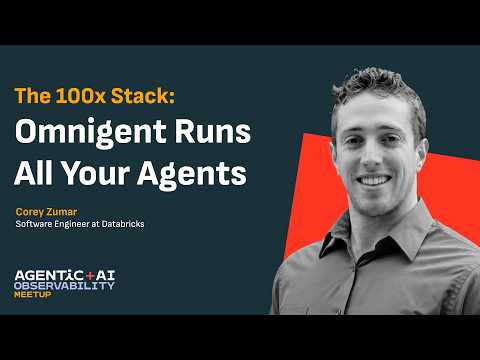
The landscape of AI agents is evolving rapidly, with systems transitioning from automated tools into highly autonomous assistants. this video breaks down the engineering principles and infrastructure used to build and manage agentic workflows across complex development environments. The talk highlights the transition from isolated, terminal-bound tools to a unified "meta-harness" system that introduces robust layers of collaboration, composition, and control to the developer ecosystem.
𝗞𝗲𝘆 𝗧𝗮𝗸𝗲𝗮𝘄𝗮𝘆𝘀
• Meta-harnesses act as a unified infrastructural layer that standardizes security and collaboration across disparate agent workflows.
• Unified workspaces enable seamless context sharing between human engineers and multiple AI models across interfaces.
• Smart routing optimizes operational costs by dynamically matching task complexity to the most efficient model.
• Contextual policy frameworks dynamically manage network access based on session history and sensitive data interaction.
• OS and cloud-level sandboxing isolate untrusted code execution to protect sensitive system environments.
• Declarative frameworks allow developers to build specialized agents using natural language descriptions and modular configurations.
• Advanced agent frameworks enable self-managing lifecycles that allow systems to autonomously optimize and update their internal properties.
00:00 — Evolution of LLMs
02:45 — Defining an Agent
03:15 — How Claude Code Works
05:50 — The Claude Agent SDK
06:58 — Utilizing Agent Skills
08:50 — Benefits of Sub-Agents
11:10 — Governance and Safety Hooks
13:56 — Evaluation with Evals
16:48 — Site Reliability Engineer (SRE) Agent Demo
24:01 — Introduction to Managed Agents
Check out future Agentic + AI Observability events: https://luma.com/AgenticAIObservability
Chapters
00:00Introduction: the meta-harness concept02:34Three problems: fragmentation, context loss, and lack of control04:16Context loss deep dive: isolated terminals and travel scenarios07:36Why a meta-harness is the right abstraction09:17Omnigent architecture: runners, workspace, and API routing11:45Demo: launching Claude Code and Codex in one workspace13:27Multi-harness orchestration on the same codebase15:05Collaboration: sharing live agent sessions with teammates18:34Composing agents with MCP tools, skills, and sub-agents23:18Enterprise controls: budget limits, approvals, and sandboxing25:43Cost controls and security policy enforcement28:03Getting started: GitHub, Omnigent.ai, and community
FAQs
What is a meta-harness and why is it needed for AI agent development?
A meta-harness is a unified infrastructure layer that standardizes how multiple AI agent frameworks operate together—providing shared context, security, and collaboration across disparate agent workflows. It is needed because the proliferation of specialized coding agents and harnesses creates fragmentation, context loss between isolated terminals, and lack of centralized governance over what agents are doing and spending.
How does Omnigent handle context sharing across different AI agents?
Omnigent provides a unified workspace where multiple agents—such as Claude Code and OpenAI's Codex—can work on the same codebase simultaneously while sharing live context. This eliminates the context loss that occurs when developers switch between isolated agent terminals, and enables teammates to share live agent sessions with each other.
What enterprise controls does Omnigent provide for AI agent governance?
Omnigent includes budget limits to control costs, approval workflows for sensitive operations, OS and cloud-level sandboxing to isolate untrusted code execution, and contextual policy frameworks that dynamically manage network access based on session history and whether sensitive data has been touched. These controls are designed for large engineering organizations deploying AI agents at scale.
How does smart routing work in Omnigent?
Omnigent uses smart routing to dynamically match task complexity to the most efficient model, optimizing operational costs by avoiding expensive frontier models for simple tasks. This allows teams to get the best cost-performance tradeoff across their agent workflows without manually configuring routing for each individual task.
Full transcript
[00:04] Hi everyone, I'm Corey, one of the uh engineering leads here at Data Bricks. So today I'm excited to talk to you all about Omnagent, a new meta harness for AI agents. Now a natural question based on that term is what the heck is a meta
[00:18] harness and why the heck do you need one? Answering that question is going to take a few minutes, so please bear with me. But to really dive into that, we need to understand the current agentic landscape. You see, it's probably no
[00:30] surprise to many of us, but just over the last year, agents have become far more capable, far more intelligent, and far more autonomous. This is particularly true for many large engineering organizations that are now
[00:42] writing the majority of their code with AI agents. In just about 9 months, we've really gone from coding with autocomplete to coding on total autopilot, which is really quite striking. So, coding agents have been
[00:55] quite successful and quite paradigm shifting. Second, even if you don't like a particular agent framework, it's easier than ever to pull out a coding harness and build your own. And there's this been this proliferation of hundreds
[01:07] and thousands of different specialized agents for all sorts of tasks. And as a result, we've seen this rich, vibrant ecosystem emerge, which is really quite awesome. So collectively, we now have
[01:19] all these highly intelligent agents, all of these harnesses at our disposal, and we can build almost anything that we'd like at light speed. So we're done, right? We should all be happy. We can all go home, and agents, you know, are
[01:31] taking care of all of our work for us. Well, as we all know, that's not quite true. And while it's it is true that individual agents can do quite a good job on certain tasks, no one agent is
[01:43] perfect across the board. And unsurprisingly, there are lots of differing opinions out there about what coding agents should do and how they should work. These opinions, unsurprisingly, have given rise to a
[01:55] huge ecosystem of coding harnesses and agentic tools such as the ones seen on screen. And now it's your job as software developers to navigate this ecosystem and figure out how to stitch
[02:07] together all these harnesses and all these agentic coding tools to become the 10x or mythical 100x engineer who's using AI to submit thousands of poll requests every day. We've all heard stories like this, but it's far easier
[02:21] said than done. As you pursue this goal of the magical perfect AI workflow, you're bound to run into certain common pain points. Most of you, I'm guessing, have experienced at least one of these. Some of you, unfortunate folks, uh maybe
[02:34] all of them. I fall into that camp. The first is fragmentation. You see, because every coding assistant and every agentic workflow tool is built on different opinions and different assumptions, they all have dramatically different user
[02:46] experiences. This means that I need to learn the ins and outs of several different terminals, a bunch of sets of slash commands and beyond if I want to try the latest and greatest frontier model from something like cloud code or the latest and greatest workflow tools
[03:00] like loops and goals and all that stuff that was arising a few months ago is in the open source ecosystem like open code and harnesses like pi. This becomes a massive cognitive overload and switching
[03:12] between harnesses requires me to mentally remap all of these different hotkeys. It's quite tricky. The second pain point and this one really hits home I think for a lot of folks that are working on uh limited usage subscriptions or maybe part of IT and
[03:25] compliance teams is a lack of control. You see some coding assistants offer robust capabilities like hooks and approvals and budget limits and many do not. And yet it's important that developers be able to explore all of
[03:38] these different uh coding paradigms to find the workflow that fits them best. This leaves us in a somewhat difficult and somewhat contradictory spot. How do I try all of these tools that I'm interested in while at the same time
[03:50] ensuring that I don't bankrupt my company or myself and that I don't expose my company's data or my data on the public internet. Uh this is a very real problem facing all of us. The sort of tension between exploration and
[04:03] control. The third major challenge I would characterize as immobility. While agents are extremely powerful and they can do great work given adequate context and access to a file system, typically that file system remains on my laptop
[04:16] and that agent is running in my terminal. And as soon as I step outside of my office, my cubicle and I come to a meetup like this, twiddling my thumbs, listening to some presentation and I want to get some work done, all those
[04:28] files are stuck on my laptop. I really can't use that agent effectively to continue coding and continue, you know, being productive. If I want these kinds of capabilities, you know, hand off to the cloud, hand off to a mobile device,
[04:40] I'm suddenly locked into a surprisingly narrow set of tools often delivered by Frontier Labs and cloud providers. There are very few tools that support mobile handoff, for example. Otherwise, a final
[04:53] common pain point, and it's far from the only one, is sort of the companion to immobility, which I would characterize as isolation. You see, because these agents live on my local file system in my terminal, I really can't share them
[05:06] with other people. And you may be wondering, why do I want to do that? I can walk you through an example scenario. You I spend a bunch of time implementing a new feature, writing a poll request, or debugging something, and producing a report. If I want my
[05:19] colleague to review that artifact, all of the agents context has to be distilled down into that PR description or into that report. And anything that's missing is really sort of lost forever. And when my colleague, you know,
[05:32] receives this artifact from me, what do they do? Well, they take it and they throw it into their coding assistant and they see if the coding assistant thinks it's a good change or not. And what you're doing there is recomputing all of that context that I had when I submitted
[05:44] the change. Uh, but you're leaving yourself prone to errors. And what if that other agent uh fails to restore all of that context? I mean, it's possible that it ends up catching something the original one didn't, but I'm at least
[05:57] going through all of this hassle, you know, spending double the number of tokens, double the number of time to kind of arrive at the same point. Why can't I just invite someone in and have them review the work using all of the
[06:09] context that's already been gathered? So this is a set of common pain points but underneath them really lies three fundamental problems for us to solve in our industry pertaining to agentic
[06:22] workflows. The first is collaboration. How do I collaborate with both humans and multiple agents in a consistent environment without having to learn 10 different sets of hotkeys, multiple
[06:34] desktop applications and terminal UIs and switch between them all the time. The second is composition. you know, how can I use multiple agents effectively in my workflows so I can try the latest and greatest frontier models, compose them
[06:46] with the latest and greatest loops and goals and things from other harnesses, and have all of this work nicely together to accelerate my productivity. And the third is control, especially from a cost and security perspective.
[06:58] How can I ensure that I have access to the full ecosystem of agentic developer tooling without compromising safety and without breaking my bank? We saw these problems continually bite teams and data
[07:10] bricks from developers to IT to compliance. Everybody over the last year or so has really acutely felt this pain. And that led us to think we must need something new. There must be a some
[07:22] better piece of infrastructure or platform componentry that can help with all of this. And that led us to the realization that we need a new open layer above the harness. It should be compatible with any agent coding tool
[07:36] and any harness out there in the ecosystem, but it needs to provide collaboration, composition, and control to alleviate all those pain points that I just talked about. Put succinctly, we needed a meta harness. So, we went ahead and we built one. A few weeks ago, I
[07:49] guess a couple of months now, we released Omnagent, the first meta harness for AI agents as an open- source project that anybody can use as well as a managed offering on data bricks. First and foremost, Onagent delivers
[08:01] collaboration in the form of a Agentic workspace that you can access from a mobile device, desktop application or terminal and that you can share with any member of your organization seamlessly.
[08:14] Unlike offerings from cloud providers and frontier labs that try to lock you into a particular coding harness or a particular model, Omnient's collaborative workspace is designed to be compatible with any harness in the
[08:26] ecosystem and to be extensible as new agents and new harnesses are developed every month. This Omnigent collaborative workspace rests on a scalable server that's extremely easy to host on your
[08:38] machine and supports a variety of chat session storage, search, archival, and filtering capabilities that make it really easy to manage your work at scale as you accumulate thousands of agentic
[08:51] coding sessions. Taking a slightly deeper look, we see on the left we have the Omnigen desktop application with the web chat experience offered by Omnigen for a coding harness and on the right we
[09:04] have the mobile app equivalent enabling you to code on the go as well as from your desktop equally effectively. We're going to spend a lot more time in this in just a few minutes, but I want to also take a look at OmniGen's capabilities for composition. You see,
[09:17] Omnagen also provides a standardized API for routing instructions, attachments, and beyond to any coding harness. We call this an Omnagent runner, and it's effectively a lightweight wrapper
[09:29] process around any coding harness that you're already running on your machine. The beauty of Omnagent is you don't need to go and install new coding tools and coding harnesses, whether you're using codecs, open code, cloud code, or
[09:41] anything beyond. You can install Omniant and start running it on the cloud with the web UI or a mobile device and take with you all of those existing sessions and all of those existing coding
[09:53] paradigms that you've memorized. You can also use Omniant in this standardized API to build custom agents using natural language or with a very intuitive YAML specification enabling you to compose
[10:06] agents from multiple harnesses with tools, skills, MCPs and beyond which we're also going to take a look at in a few moments. At this point, Omni runners support 15 harnesses out of the box. We also have a rich ecosystem that we're
[10:19] developing of thirdparty harness plugins that are being maintained by a community of collaborators that's more than 200 strong. And finally, and arguably most importantly, we come to the topic of
[10:31] control. You see, for every Omnagent session you launch, regardless of which harness it comes from and whether that harness supports things like hooks and approvals and budgets, Omni inserts them
[10:43] for you. Even if the harness that you aren't currently that you're currently using doesn't have the full feature set, you're guaranteed to get it with Omnagens, which gives you the freedom of exploring any coding assistant and any
[10:55] coding harness at your disposal without compromising your budgets and without compromising safety. Collectively and at its core, Omnag is really, you know, just two very powerful components. It's that scalable collaborative workspace
[11:07] server and it's that very lightweight runner process that collectively guarantee you safe, simple and collaborative agent decoding. And with that, I want to dive deeper into the collaboration element. Here, enabling us
[11:21] to pair program with a variety of agents and colleagues on any device. We're going to dive into some demo content, and it's going to start in a very familiar place to a lot of us in the Cloud Code terminal. Except in this case, instead of just launching Claude
[11:33] code directly, I'm going to go ahead and run OmniCloud. This is going to go ahead and spin up that lightweight Omniant runner process and it's also going to launch an Omnigent server on my local
[11:45] machine. After just a few seconds, I see that I have my cloud code terminal and I also have in the bottom left a URL pointing to that Omnagent server. I can then go ahead and, you know, do what most of us would do with an agent coding
[11:57] session and submit a quick message. in this case just a hello world and I'll get some response content out. Now the magic really starts to happen when I head into that Omnagent web UI. Now that
[12:09] I'm in the web UI, I can see that my session was seamlessly mirrored onto my server. And if my server was running in the cloud, the session content would have been uploaded there as well. In addition to just seeing my session content, I can also navigate around this
[12:21] UI and I can, for example, switch my selection of model or change the effort level that I'm using for my session. I can also browse my workspace file system from the directory where I started
[12:33] flawed code with O on the which really comes in handy when iterating on markdown and code scripts. I can also see the active agents in my session which is going to be extremely useful as I add additional agents, sub aents and
[12:47] things from different harnesses in subsequent steps. So now what I'm going to do is exactly that. I'm going to bring in a codeex agent and I'm going to go ahead and ask it to analyze the Omnient repository. What this is going
[13:00] to do is tell Claude code to fetch the list of available agents and the agent spawning tools from Omnagent's built-in MCP. Once I approve that, I can see directly in the embedded uh web terminal
[13:14] that Claude Code is figuring out how to launch an instance of Codeex. And if we take a look at the right side of the screen, I now have an instance of codeex running uh directly alongside cloud code with just a single instruction pasted
[13:27] into this Omnagent web UI. I've gone from single agent and single harness coding to multi-harness coding in just a matter of a few seconds. From there, we can go ahead and open up the codeex
[13:39] session. And what we'll see is that I can explore it in exactly the same way as the cloud code session. As it works through the Omnigent repository and analyzes my codebase, I get to see all
[13:51] of its reasoning just like I did for the parent agent with cloud code. And after a few minutes, we'll also see that codeex produces a report uh sort of detailing the structure and purpose of the Omigen repository. At the same time,
[14:05] when I navigate back to cloud code in that uh parent session, it reads the output from codeex and formats it as a nice markdown report which I can then reference later. Now, it's awesome to
[14:17] analyze a uh repository with multiple coding assistants, but I think what would be more useful is actually building something. Uh so, we can go ahead and do that together. And I find that oftentimes the best things to build
[14:29] for lowhanging fruit wins are documentation improvements, which we all know and love. So, I'm going to go ahead and open up the readme file from the Omnigent repository and take a look at what we see. At first glance, the readme
[14:41] seems pretty reasonable. It even gives me a link to the Mac OS desktop app to download. But I notice there's no mention of our new iOS and Android apps that we recently launched. So, I'm going to go ahead and tell my agent to add
[14:53] those links directly into our readme. I'll go ahead and type out that message. And while I'm doing this, it sure would be nice if I could loop in a colleague or someone else to help review the work. In this case, Omnagent makes it really
[15:05] easy for me to share this session with our product manager, Elise. I'll go ahead and add her email address and grant her read access to the session. And jump ahead several minutes later. These links have been added to our
[15:18] readme by that agent using the instructions that we just uh provided. Ely has also opened the session and we can see that she left a comment. In fact, it's a very good comment. We probably should include images, the
[15:30] Google Play Store logo and the iOS App Store alongside this readme. Now, typically what I would have to do in the situation if Elise had left the comment on GitHub or uh some other sort of collaborative code review solution is
[15:44] point my agent at that source of feedback. And if my agent wasn't currently running, I'd have to restart it and I could waste, you know, potentially several dollars reathering all of that context and fetching the feedback. Omnagent makes this much much
[15:57] easier. I can just go ahead and hit the uh address all button and immediately I see a new message added to my coding session since it's still fully active and my existing agent can just go ahead
[16:09] and address that live feedback from Elise in a matter of seconds. Now that we've taken a closer look at collaboration in Omniant, I want to spend a little bit of time looking at security and looking at cost controls. Now, as we've all moved from token
[16:22] maxing back in January and February into AI efficiency this summer, organizations and solo developers need some way to rein in their AI spend without sacrificing productivity. Omnigen
[16:35] provides a couple of really useful capabilities that enable this. The sort of premier capability here is smart routing. Given a set of instructions and a task to perform, your agent dynamically chooses the best model to
[16:48] route to, whether it's something like Claude Haiku for a simple task or GPT56 soul for something more challenging. We also offer budget policies allowing you to specify spend limits on a per model
[17:02] basis, gracefully transitioning you to cheaper models as those budgets are reached. Moving from cost into security, OmniTent also builds on primitives that many of you are likely familiar with, the approval hooks and permission
[17:17] prompts that you're used to seeing from coding assistants, and it enriches them into what we believe is a more comprehensive safety framework that we call contextual policies. See, whenever an agent takes an action with Omnagent,
[17:30] whether or not that harness that it's using has hooks enabled, Omnient is going to analyze the full context of the conversation and the action that the agent wants to take. It's then going to determine based on that context and the
[17:43] intended action whether it should permit it according to a set of policies. So, there's a good example on the right side of this slide. You know, imagine my agent has gone and read content from sensitive documents. If it's done that,
[17:55] then it's pretty useful if I can prevent it from uploading information to publicly accessible locations such as my website or a public GitHub repository. But if an agent has not read sensitive material, well, suddenly it's much safer
[18:09] for me to go ahead and make public changes using that agent. This is where a lot of times the existing approval checks and hooks these coding harnesses have provided are not really contextaware. They don't know the
[18:22] difference between an agent that has read uh things containing PII and social security numbers trying to do something and an agent that really hasn't read those things trying to do perform the same action. This is where Omnigen's
[18:34] contextual policies are much much richer. At this point, Omnigen offers more than 20 built-in contextual policies. It also enables you to author your own whether using natural language or an intuitive YAML specification. The
[18:47] next layer of security and control that Omnigen provides is more of a physical infrastructure layer. Your Omnien sessions, such as the ones that we just walked through in the workspace a few moments ago, can run on any cloud VM.
[19:00] Omnient includes support for more than 10 different VM providers, including Modal, Daytona, Kubernetes, and the newly releasleased data bricks sandbox infrastructure. And this enables you to physically isolate the work that your
[19:13] agent is doing from sensitive files elsewhere on your laptop or elsewhere in your organization. Now going beyond the VM isolation layer, even within a single machine, Omnagent is helping you control
[19:26] and isolate your work through an OS level sandbox that we refer to as Omnibox. Now, Omnibox builds on existing secure isolation primitives, including Linux landlock and bubble wrap and Mac
[19:39] OS, imbuing them with a lightweight YAML specification that allows you to define exactly which network routes are allowed or disallowed and which file system locations your agent can or cannot
[19:51] interact with. Coming back into the cost control domain, I do want to take a step deeper dive into smart routing, which I think is really important for all of us as we seek to reduce our spend without
[20:03] sacrificing productivity. In our previous section of the demo, we were launching Claude code from a terminal. But it turns out that we can also start new sessions directly from the Omnigent web UI. Now I want to create a coding
[20:17] session that monitors an existing PR on the Omnagent GitHub repository and kind of fixes issues and nudges it along until it's mergeable. So I'm going to go ahead and paste in those instructions, but I also want to explore my existing
[20:31] configuration. Right now I had Fable selected which could you make for a very expensive version of that task. So instead I'll enable smart routing and I'll start my session. And what this is going to allow me to do is uh let
[20:44] Omnagent decide what the most appropriate model is, most appropriate effort level is for this task. If folks squint and look closely, sorry, it's a little small. We can see that Haiku was selected for this task because it's
[20:56] simple enough for a cheap model like Haiku to do a reasonably good job. Now, in parallel, because we're all coding agentically and managing many sessions at once, I also want to perform a more
[21:08] complex task. In this case, we're working on making Omnagent as fast as possible. I want it to profile some common actions in the OmniTent web UI and use that profile to come up with a variety of optimizations across our entire stack. And in this case, the
[21:22] smart router correctly realizes that hey, this is a pretty complex task. It decides to use Claude Fable 5 and it uses the maximum reasoning available to ensure that the results are trustworthy. Now, this doesn't just stop at the first
[21:35] set of instructions that I submit. As Fable spawns sub agents, the Omnigent smart router also thinks about what level of intelligence those sub aents need. So if I'm asking multiple sub aents to explore parts of a codebase in
[21:48] order to develop that profile, the smart router can decide to use Opus for these sub aents while maintaining Fable as the parent agent, effectively balancing this cost, intelligence, and efficiency
[22:01] trade-off. Coming back into the session that I started with Haiku, we can see that this cheap model indeed did a fairly good job, monitored that PR to the point where it was mergeable and probably saved me several dollars and several, you know, minutes or maybe even
[22:14] hours of my time in the process. Of course, Fable is still working and we're constantly making performance improvements to Omnagent every day. Like I I seriously am running a session like that on my laptop right now. Now that we've taken a look at the cost and
[22:27] security controls provided by Omnagent, I did want to touch on custom agents. Omnient provides a rich ecosystem of custom agent authoring capabilities, enabling you to define custom agents in
[22:39] a thin YAML format. You can also do this in natural language through the Omnient web UI. For each custom agent that you build, you get to select a set of harnesses, add in your MCPs, skills, and beyond. You can then take that format
[22:52] and you can run the agent on a single input from the command line, interact with it in the terminal, interact with it from the web UI or your mobile device or share it with any of your colleagues. And in fact, we're seeing a lot of
[23:05] utility ourselves within the Omnient development team with these custom agents. For example, we've built one that we call a repro agent. It takes issues from the OmniGent GitHub repository, fetches the bug report,
[23:18] reproduces the issue, and hands it back to a human who can then do a much more effective job of fixing that issue. Additionally, we have a variety of other agents that are built into the Omni GitHub repository, including one for
[23:32] drafting blogs every time we publish exciting new features. In this case, we have a feature blog drafter agent. It's just a simple YAML spec. In this case, we've endowed it with access to the Claude SDK harness and we've given it a
[23:45] fairly lengthy prompt based on several cycles of iteration and group consensus about what makes a good or bad feature blog post. Now the power of this is that when I define a GitHub workflow as part
[23:59] of our release pipeline, I can use Omnagent from the CLI directly in that GitHub workflow and have it draft a feature blog based on a list of new features seamlessly. In the exact same
[24:13] way, I can hop into the Omnagent terminal and interact with this feature blog authoring agent directly if I want to write a blog out of band. So I'll go ahead and invoke the omniun command.
[24:26] I'll pass in the path uh to my feature blog drafter. And after just a few seconds, uh this is going to launch the agent both in a terminal and in the Omnagent web UI. Once we're in the web UI, I can go ahead and ask this agent to
[24:39] write a blog about anything. You know, since I love our mobile apps and we already updated the readme, I'll go ahead and have it draft me a blog for the iOS app. And in just a matter of minutes, I get a blog out that meets all
[24:52] of our requirements. And all I had to do was send in eight words. All of that rich context from hours of endless debate about what a great blog looks like within the team is encoded in that agent. And it's extremely easy for me to use it in a variety of environments. We
[25:06] can go ahead and see that this has written the blog to my local file system where I can check it out later. Now, I've demoed a lot of the core capabilities of Omnagent, but I definitely don't want to forget to mention a few others that we're very excited about. For example, we recently
[25:18] introduced support for deploying Omnagent on Kubernetes, as well as with Docker images. You can also use Kubernetes for sandboxes to isolate individual coding sessions. We added message queuing and steering to our web
[25:31] UI, so you can send, you know, everything that's on your mind into your session at once and queries will be processed in order efficiently. We introduced automations for recurring tasks. These are basically scheduled agentic jobs. We also launched, as you
[25:43] all know by now, two different apps for interacting from your mobile devices. And we recently launched an embedded browser. So whether or not your coding harness natively supports it, with Omnigent, it can now browse the web and
[25:56] develop your front end or fix bugs on your website autonomously. Okay, this all sounds interesting, but who's actually using it? Are any of these features actually helpful in practice?
[26:08] And I can provide one data point which is everything that I've shown in Omniant has been built with Omniant by the OmniTent development team. For example, Omnigent built its own website. You know, we started with something and then
[26:21] our CTO gave us a ton of feedback and you know, it was a lot to read through. So, we sent it back into Omniant and we ended up with something that's brighter and slicker and a little bit more 2026. And then ultimately, you know, looking
[26:33] in the bottom right there, we deployed that website and I swear we haven't manually updated it since. Omnagent is still making those updates using things like the feature blog drafter. As another data point, we've deployed this to hundreds of engineers within data
[26:47] bricks and we're looking forward to ramping that usage to thousands in the near future. It's already being used to author thousands of pull requests and run tens of thousands of agentic coding sessions every single day and is quickly
[26:59] becoming the backbone of how data bricks produces high-quality software. But, you know, we shouldn't just take the word of an Omni development team and the company that I work for as the end- all beall. We're also seeing a lot of excitement
[27:11] for from our community with more than 3,000 poll requests over the last couple of months since launch, 8,700 GitHub stars and with more than 200 distinct contributors from a variety of organizations that we're really excited
[27:24] to partner with and work with closely. I do just want to kind of hammer home the point that you we really are using this thing day in day out. So I have a variety of folders. These are omnigent projects in my collaborative workspace
[27:37] which I may not have touched on as much. I have an inbox that tells me sort of what workflows I need to approve at any given time. I have a mountain of PR reviews that are syncing live using one
[27:49] of these automations into Omnagent. So, this is just sweeping our GitHub and constantly copying sessions from our repro agent into Omniant. I can then interact with these things and tell it to go ahead and file a PR for this issue
[28:03] or I need more details in order to fully understand what was going on with this other one. been using it to file some expense reports for parking in the local area. I mean, really all sorts of stuff. And the team is also using this equally
[28:15] as heavily every single day. And it's really fun, I guess, to work on a product that you are also a user of and and make these sorts of rapid iterations and and contributions. Starting with Omnintent is really easy. You can just scan the QR code in the bottom right
[28:28] hand side of the slide. You can also check out our GitHub linked there. You can also alternatively get started with Omnagent.ai. As I mentioned, it's already compatible with all of your existing coding harnesses. Uh, setup is
[28:40] extremely easy, I promise. And if folks do get a chance to try this out and you have questions or feedback or feature requests, please check us out on Discord. We monitor that all the time and it's how we're interacting with and building out our community. With that,
[28:53] really appreciate all the attention and hope you give us a shot.
Learn more about the Databricks Data and AI platform.
The information provided herein is for general informational purposes only and may not reflect the most current product capabilities or configurations.