How to Give AI Agents Long-Term Memory with Lakebase and Databricks Apps
Summary
- Durable memory: Agents need episodic, semantic and procedural memory, not just vector scores.
- Transactional state: Lakebase stores memory for inspection, audit and correction.
- Memory distillation: Nightly jobs generalize conversations while safeguarding personal data.
How to Give AI Agents Long-Term Memory with Lakebase and Databricks Apps
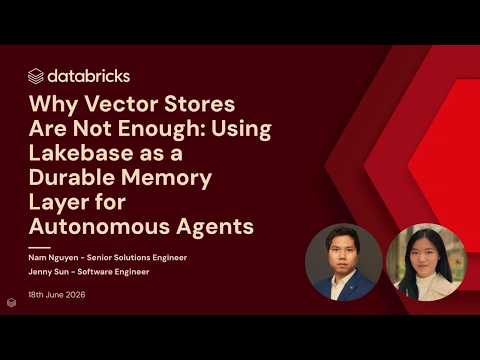
Talk by Jenny Sun, Software Engineer, Databricks; Nam Nguyen, Senior Solutions Engineer, Databricks
Choosing where to store AI agent memory comes down to durability: a vector store returns probabilistic similarity scores, while Lakebase, the serverless managed Postgres on Databricks, stores episodic, semantic and procedural memory transactionally so agent state can be inspected, audited and corrected. This video builds a stateful agent that remembers user roles and preferences across sessions, compares it with a stateless agent on Databricks Apps, and shows nightly memory-distillation jobs that turn conversations into generalized patterns.
The demo compares a stateless agent with a memory-enabled agent on Databricks Apps, using memory tools to retrieve, save and delete memories scoped to the user and the agent. Nightly "dream" jobs on Databricks Jobs distill conversations into generalized patterns, written to a Unity Catalog volume so personal information does not leave the system. Administrators can audit what an agent learned in Lakebase and trace every memory search and write, then use Lakebase database branching and point-in-time restore to create isolated sandboxes where agents can safely test destructive actions. The video also compares Vector Search and Lakebase for agent memory and shows how to deploy a memory-enabled agent from templates.
Chapters
00:00Introduction: why AI agents forget02:29What is AI agent memory and agent state?05:42Risks of agents without durable state08:12Episodic, semantic and procedural memory types13:07Vector Search vs Lakebase for agent memory15:36Nightly dream tasks for memory distillation with Jobs19:45Demo: stateless vs stateful agent on Databricks Apps24:26Inspecting and auditing agent memory in Lakebase27:35Slow memory: how agents learn overnight32:25Lakebase branching to protect agent memory34:03Point-in-time restore for agent sandboxes38:07Build a memory-enabled agent from templates
FAQs
Why do stateless agents keep forgetting user context?
Without durable state, each conversation is treated as a new event, lacking continuity for personalized experience. This video contrasts stateless agents with memory-enabled agents that remember user roles, preferences and prior interactions.
What types of memory do AI agents need?
This video defines episodic memory (what happened), semantic memory (facts learned) and procedural memory (skills practiced). Lakebase stores all three types transactionally so agent state is durable.
How do nightly dream jobs improve agent learning?
Nightly dream jobs on Databricks Jobs distill conversations into generalized patterns written to Unity Catalog volumes. This video shows how slow memory learning lets agents improve without personal information leaving the system.
How does Lakebase branching protect agent experiments?
Administrators can audit what an agent learned and use Lakebase database branching and point-in-time restore to create isolated sandboxes. This video shows how agents can safely test destructive actions in branched environments before production.
Full transcript
00:00 Introduction: why AI agents forget
Good morning everyone. I hope you had a great morning and enjoyed last night if you were there. I have a friend who is a founder of a startup. He wants to help people overcome Alzheimer's disease and memory loss with the help of AI. One day he visited a hospital and met an elderly woman who was suffering from Alzheimer's disease. They had a nice conversation and got along very well. My friend was telling the woman about his life, what his name was, what he liked to do, and what his startup was about.
Then my friend got up and went to the restroom. And after 5 minutes he came back. The woman didn't remember anything. Nothing. She didn't remember anything my friend told her just 5 minutes ago. Neither his name nor his work. And that's when my friend had a vision. Create an AI agent powerful enough to store all the knowledge and information about a person's entire life. Memories would not die or fade with time. And we would live forever thanks to technology.
And that got me thinking. Can AI actually do this? And does AI really remember? Let's move on to the present. My friend actually created his own AI agent. But the irony is that his AI agent keeps forgetting everything. The very technology he created to combat amnesia. She suffers from amnesia herself. Every session, every new conversation—the memory fades. Hello everyone. My name is Nam, I'm a Senior Solutions Engineer at Databricks.
Hello everyone. My name is Jenny. I'm an engineer working on memory at Databricks. And today we'll talk about how to create long-term memory layers for AI agents using Databricks Lakehouse. I'll start with our vision of agent memory for the first 20 minutes, and then I'll hand it over to Jenny for a demonstration. How do we define the memory of an AI agent? IBM has provided a version of these definitions. Therefore, AI agent memory or agent state refers to the capabilities that allow AI agents to store, retain, and reproduce information.
02:29 What is AI agent memory and agent state?
This is different from what LLM remembers from their training, which usually lies in the weights and parameters of large language models. An AI agent's memory can only relate to what can be constructed through interaction with the user. Currently, AI agents are built on the basis of large language models. The grand linguistic model fundamentally suffers from forgetting. They treat each new interaction as a new, separate event, lacking the consistent continuity needed for a personalized user experience.
And it's not like the longer the context window, the better. A research team from the University of California, Berkeley and Stanford wrote a paper on the “lost in the middle” effect in LLM. Models tend to remember what was said at the beginning and recently, but lose most of the context in the middle. Recently, our research team at Databricks published a paper on memory scaling for AI agents. Our team has proven that agent performance, both in terms of accuracy and efficiency, improves with the accumulation of user interactions.
So an agent with thousands of users should perform better than an agent with just one user. Scaling memory is not about making the context window bigger. As we saw in the previous slide, even with an infinite context window, there are still many irrelevant tokens that need attention. Memory scaling is about getting the right context and adding it to the window at the right time. Memory scaling is also different from other types of exploratory scaling, such as building larger models or scaling during inference.
Because it requires a corporate, personalized domain context that is not built into the base models. We won't be able to cover everything about memory scaling in this talk, but I highly recommend checking out our article. Now let's return to the problems of agent memory. Here are three distinct types of memory failures for AI agents in the work environment. The first is amnesia. Amnesia is when an AI agent keeps asking the same questions every session.
What did the user like? What is the business context? What did we agree on during the previous discussions? All of this is erased after each restart. The second type is hallucinatory actions. Because the agent has access to tool calls and MCP servers, it can modify databases and execute REST APIs. But without state awareness, an AI agent can act without checking the previous state. These will be actions without any precautions.
05:42 Risks of agents without durable state
The third type of failure is unaudited beliefs. With steel agents, it is impossible to know what the agent knew at a given point in time. In the event of an incident, we cannot restore the agent's memory to the moment they made the decision. When your personal chatbot forgets something—it's just annoying. But in a corporate environment, when an AI agent forgets the state before executing a financial transaction, it's a completely different scale of error.
This may be a violation of compliance requirements. These could be duplicate transactions or GDPR violations. And the consequences can be catastrophic. Your trust level drops, your income decreases, and your fines increase. I want to pause and ask the audience a quick question to make sure you're not already asleep to these slides. Raise your hand if you have used AI agents in the last 12 months. Good. I see many hands.
This means that the people in this room are familiar with AI agents . Now raise your hands if you have deployed an in- memory agent in a production environment or worked with it on Databricks. Oh, impressive. And for the rest of the people who use AI agents but haven't worked with agent memory in production, this is one of the gaps that we're going to talk about today. So what makes implementing agent memory in a work environment so challenging?
This is because memory adds a new level of challenge to agents. Let's talk about three of them today. Writing, reading and security. Regarding memory recording: how can we decide or make an AI agent decide what is worth remembering from everyday conversations? When recording, we face the problem of how to transform raw conversation logs into useful levels of abstraction. Today we are classifying three of them. First, episodic memory.
08:12 Episodic, semantic and procedural memory types
Episodic memory concerns specific events and experiences. For example, having a direct memory of what happened last week. Next is semantic memory. It is about facts and preferences. For example: I am an engineer and I prefer Python. And the third is procedural memory. Procedural memory refers to learned workflows and skills that an agent develops and retains over time. Next is the data extraction call. When and how do we extract the right memory at the right time?
Imagine that your memories are like jelly beans in a jar. Red, blue, green, yellow. They are all there. But we don't know how to get inside and grab the right ones at the right time. Even if memory storage is perfectly accurate, if we don't retrieve memories accurately, useful memory will remain inaccessible. Extraction is a metacognitive task. And if the AI agent cannot predict that relevant information exists, it will not send the correct request.
And what happens when the facts change? The agent must retrieve the existing memory, recognize the context, update it as needed, and successfully replace the old fact. And last but not least: memory protection. Agents with memory impose much greater security and management requirements than do stateless agents. We need to carefully consider the needs for access demarcation . For example, user A should not be able to access user B's memory, and vice versa.
There may also be some memories applied at the agent level, and we need to safely share a portion of the memory between multiple agents. We also need detailed observability of the agents' tracks to understand their behavior when they start acting unpredictably. Since agent memory is corporate data, we need the same level of management as for traditional databases. We need support for things like data lifetime, encryption with customer-managed keys , GDPR, and so on.
We saw what AI agent memory means, how serious the consequences of memory failures are for enterprises, and what challenges exist for agent memory. Let's now move on to building a unified memory layer by reviewing current approaches. At the heart of everything is contextual memory. This is the working memory of your AI agents. But, as we saw at the beginning , this is temporary session memory. And it resets with each new conversation.
So it is not suitable for the long-term memory level. Further, more and more agent developers are relying on Markdown files for agent memory. Files are great for a single user, but they can become corrupted during writes when loaded simultaneously by multiple agents. Additionally, they do not support SQL or transactional operations for agent memory. At the top of the pyramid we have vector databases with vector indexes .
They have become extremely popular in recent years for AI scenarios like RAG. But they are still probabilistic, not deterministic. They still lack row-level access, volume control, and a zero-scale economic model. This leads us to the need for a unified memory layer for AI agents that is persistent, scalable, manageable, and accountable. If you were at the keynote or other sessions, you may be aware of the fully managed serverless Postgres at Databricks Lakehouse.
What you may not know is that Lakehouse was created as a database for AI agents. Its technical capabilities include compute and storage separation, auto- scaling, and branching. This fits naturally into our vision of a unified memory layer for AI agents. I want to focus on the comparison of AI Vector Search and Lakehouse in more detail, as both are available on the Databricks platform. AI Vector Search is ideal for real-time search, recommendations, and data mining.
13:07 Vector Search vs Lakebase for agent memory
We find Lakehouse most suitable for long-term agent memory, sessions, and conversation history. AI Vector Search supports similarity and reranking as a query model. Lakehouse also supports similarity search using PG Vector. And, more importantly, it supports direct keyword search using SQL syntax, which is convenient for developers. We are talking about economies of scale down to zero. AI Vector Search is an always-on managed endpoint optimized for storage.
And Lakehouse, on the other hand, allows for zero scaling, which ensures low standby cost and pay-per-compute. Given everything we've seen so far, I'm excited to present you with a high- level architecture for a unified memory layer for AI agents in Databricks. This is a reusable architecture that you can implement today for the memory of your AI agents in an industrial environment. At the center of this architecture is the AI agent itself.
With lines that include large language models, its context window, other tools, and the MCP server that the agent has access to. There are several elements in this architecture that I want to highlight. First, it is a set of memory tools available for use by an AI agent. These tools include retrieving, saving, and deleting memory. We have instructions for AI agents on when and how to use these tools. So, these are triggers based solely on agents.
Secondly, of course, this is our basic infrastructure for agent memory. In a Databricks managed environment, we have a schema for short-term memory, including chat and message history. We have a long-term memory schema for each user. And we can also have a knowledge base with PG Vector. The following is something I am excited to share. In addition to agent triggers, we also have deterministic triggers based on the Lakeflow nightly batch job schedule.
15:36 Nightly dream tasks for memory distillation with Jobs
We call them dream tasks . Just like how we humans consolidate our conversations into memories through dreams. Jenny will show more details of this technical implementation in her presentation. And I'm really excited about this new concept implemented in Databricks. Finally, let's talk about memory-level security . In this architecture, Unity Catalog is a unified management model for all memory stored and used in Databricks Lakehouse.
We use MLflow tracing for observability and auditing. My words were enough. I'm excited to have Jenny back on stage to show you all this in action. Jenny, I'll give you the floor. Thank you. Hello everyone. Good morning. My name is Jenny, I'm an engineer working on agent memory at Databricks, and I'll be doing today's demo for you . First of all, a little motivation, right? Why are we working on agent memory? Imagine if your assistant came to the office every morning with his memory erased.
So he would have no idea who you are, what project you are working on, or what you discussed yesterday. This is exactly what is happening today as we introduce stateless agents into the work environment. So, even without... without memory, or rather, agents with powerful tools and data cannot improve their quality with use. Again , the goal of our system today is to learn to transform agent conversations into episodic, semantic, and procedural memory that can be retrieved for future use.
Today we will model our agent's memory as a file system hosted on LakeBase. This design gives us three big advantages. First, ease of reading and writing. Memories are stored as markdown files in our file system. Since the files are text, both agents and human users can open any memory file and read anything the agent has access to. Secondly, flexible search by keywords and semantics. We can perform exact path or content searches through SQL queries for direct text search.
We can also use semantic similarity search using cosine proximity of PG vector representations, returning the most relevant results. And third, we get everything that a managed database provides. LakeBase is a serverless managed Postgres, so we get all the production primitives needed by an enterprise agent, like transactions, point-in-time recovery, and branching. This becomes increasingly important in the world of agents as we scale their use and encounter large numbers of concurrent users, agents, and sessions.
These are already solved problems in the Postgres ecosystem, and we don't need to reinvent the wheel . So today, let's build in- memory agents on Databricks to see memory scaling in action. I will talk about three key workflows. First, the user experience of the agent to compare the agent with and without access to our memory system . Next is the administrator's experience in supporting your agents with the status. We'll look at tracing, our database tables, and how to create nightly tasks to process memories.
Finally, I'll walk through the agent developer experience to show how easy it is to get started. And we'll do this by creating an in-memory system based on Databricks primitives. So, we use Databricks agents on apps, Databricks jobs, and Lakehouse auto scaling. Let's start with our first story. You are a Databricks user and want to use Databricks agents to find out how much your company spent on employee expenses this year.
First of all, how do we interact with our agent? We can either treat the agent as an API and send a POST request through the agent call endpoint, or, for a simpler experience, use an interface for interaction. So, starting with my stateless agent, I set up an agent in apps and gave it access to web search, code execution, and the genie space to query the company's expense information, which I store in the Unity Catalog here.
19:45 Demo: stateless vs stateful agent on Databricks Apps
I asked my agent to review my company's expense data and find out what the total employee spending on fitness reimbursement was this year. As we can see, it addresses my Genie space and gives the answer in euros. Now let's ask a clarifying question. I actually want the agent to provide answers regarding money in US dollars from now on. And I know he has access to internet search, so I ask him to find the latest exchange rates.
He can find information about exchange rates and within the same session give me the answer in US dollars. Perfectly. What if I ask an additional question? What are the total costs of a software subscription ? Perfectly. We see that within the same session we get the answer in US dollars. But what happens if I ask this question in a completely new session? So, I already asked what the total software costs are, and we see that the answer is in euros.
So now let's try the same thing with our agent, which has state and memory tools. Here's my second agent, and I've set it up in dark mode so we can visually tell them apart. Okay, to start, I'm asking the same question here . I ask him to review my company's expense information and find out what the total employee fitness reimbursement expenses were this year. This time, if we watch the trace closely, before it responds, it does two things.
First, he searches my agent's memory. Here he extracts relevant shared organizational knowledge . And second, it searches my user memory to see what previous preferences I have saved while interacting with the agent. Then we see that, as with the stateless agent, it addresses my Genie space. He knows that I want all answers about money to be given in US dollars. And immediately we get the answer in US dollars. But it seems to me that there is too much inference here, too much going on.
So in the same session I want to add a new preference. I asked the agent to make the monetary amounts more visually clear. So I ask, "Every time you give money-related answers, can you put one money emoji on each side?" Next, it searches all of my relevant previous memory to see if anything is worth editing. And if you see in the next clarifying question, it correctly applies this within the same session. What about the new session?
Just scrolling up. I ask the same question as before. What are the total costs for software subscriptions in the new session? It searches my agent and user memory again. Goes to my Genie space and looks for the latest exchange rate. And we immediately get the answer in US dollars with my setting to display the amount surrounded by a money emoji. Our memory management tools are also designed with GDPR requirements in mind.
For example, users can exercise their right to data deletion simply by asking for it in natural language. So I asked him to forget about my money emoji setting. He added this entry to his memory. And if I ask the same question in the next session, we'll see that we get the conversion to dollars without that setting that we just canceled. This is what the cumulative effect is that we are talking about. While I'm chatting, the agent is actively saving new preferences for my work style.
The next time I come back, he will continue from the same place. Let's move on to the second story. You are an agent administrator and you want to first understand how much memory your agents have and where it comes from. Second, create a task for nightly processing, and third, make sure your memory data is securely backed up. How do we do this? First, I want to understand what memories my agents have and where they came from.
24:26 Inspecting and auditing agent memory in Lakebase
This is where we can use LakeBase to look " under the hood." I'll move on to my LakeBase project , which I've configured to save user memory. If you go to the SQL editor, you will see the SQL query to view my user's preferences. Here I can see what's happening inside, but for greater convenience I can do the same through the LakeBase interface. So, I'll go to the tables tab. What you see here is essentially a convenient wrapper for the same SQL queries.
This provides an easy-to- use interface for database administrators . Now let's take a closer look at our memory. We see that we have an agent's memory delimited by prefixes. And since we're using the file system approach, let's take a look. Here is the procedural memory I saved for this user regarding the frequency of reports. The file path is stored as a key, and in the content I see that the user has periodic reports: daily sales dashboards, weekly summaries, and monthly detailed customer retention analyses.
This is a generalized procedural memory that the agent learned while interacting with me over a period of time. I also see semantic memory here regarding preferences in the data stack. This user prefers SQL, Python, and Tableau as visualization tools. All of this can be seen by looking "under the hood." I can even view the exact vector embeddings stored in the system and used for semantic search. If I want to drill down into the data and use filters, I can configure that through the interface.
So , we demonstrate an easy-to- use interface for database administrators to explore our in- memory file system in more detail. Next, to see the origin of these memories, each agent run is captured through MLflow tracing. If you open my Databricks app, we can look at the app resources in the bottom right corner and see that it's associated with an experiment. In this experiment, if you go to the traces tab, you can see a list of all the agent traces created while communicating with them.
Let's open the last query where we asked about software subscriptions. As we can see, we have the ability to monitor parameters such as the number of tokens, cost, and latency. Interestingly, if we open the details and timeline page, we will see our memories, represented here as tool calls , and we will get a detailed analysis of all input and output data. We see every instance where a user's memory is searched, stored, overwritten— everything.
This is the observation of the work of our agents. We saw our memories. How do we process and structure them? Next, I'll talk about our three pipelines that write data to memory. First, our fast memory pipeline. This is what you have already seen. The agent records memories in real time during the session through invocations of memory tools. We can instantly write data to our memory storage and generate vector embeddings on the fly.
27:35 Slow memory: how agents learn overnight
This is great for capturing explicit preferences, like "I'm an engineer." But this can lead to the loss of deeper patterns. So let's move on to our slow memory. These are our offline asynchronous batch cleanup jobs that I have configured as Databricks nightly jobs. Here we address the challenge of how to transform raw conversation logs into useful levels of abstraction. Inspired by neuroscience, consider how human memory works.
Throughout the day, our brain receives many new impressions. Conversations between you and me, tasks, emails. It's like a context window of our session, our short-term memory. But at the end of the day, we have time to sit, reflect, and transform our experiences into more generalized knowledge. During sleep, our brain replays the day's events and isolates key lessons to record them in the neocortex for long-term storage.
We were inspired by this process to create our agent architecture. And we call these tasks "nighttime dream tasks ." So while the user sleeps, a background batch job wakes up, reviews the day's conversation logs, and turns them into clear, structured insights. For user- level dream tasks , they are distilled for each user individually, and memories are divided into episodic, semantic, and procedural. For our agent-level dream tasks, we again read the conversation data of all users, but this time we isolate more generalized patterns.
This way, no PII or personal information leaves the system. We write our patterns to a UC volume file, so your logs benefit from Unity Catalog management. The idea is that the administrator reviews the insights and decides what to move into the agent's memory. The agent becomes smarter for everyone, but a human must approve the changes before they are implemented. Otherwise, if an end user could perform a prompt injection into the agent's memory, it would create a huge attack surface.
So, let's take a look at my nightly dream pipeline. I configured a Databricks job pipeline and set a trigger to run this job every night at 00:30. Perfectly. Let's take a look at the latest launch. I have two notebooks working in each dream pipeline . I have a user memory distillation pipeline as well as an agent memory distillation pipeline . First, let's look at our user memory distillation run . I'll just scroll down so we can see the launch results.
So what you see here is the result of our nightly pipeline of user memory distillation. The X-axis represents each user, so we have one column for each user ID who has had at least one conversation with an agent in the last 24 hours. The Y-axis represents the number of memory files that the dreamer interacted with for this user at launch. Each column is divided into colored segments, and each color is a separate type of memory operation.
A nice feature of this design is that the diagram can also serve as a visual audit log of what happened. Great, this is our launch of user memory distillation. All this data is recorded in the UC volume. Now let's look at running the agent's memory distillation. Similar to my custom launch, I set everything up using the lake base configuration. I review the conversation logs from the previous day, but this time I summarize the procedural insights and record them in a summary report in my UC volume.
The idea is that an administrator can view a summary of our logs here and then decide what to move to the agent's memory. So, there are several ways to do this. For example, in our system, I created another agent for the administrator that provides tools to update the shared agent memory store. And you can customize it using natural language. Previously, my other agent with the state could only read from the agent's memory.
But this admin agent can both read and write to my agent's memory so that all my end users get the benefits. Perfectly. As a quick overview: our three main memory challenges today are write, read, and security. We just saw our tasks for " dreaming jobs". Our " dream" tasks extract data from our agents' conversations and write it to memory storage. Next, I will talk about branching lake-based agents to protect our memory .
32:25 Lakebase branching to protect agent memory
We set this up for several security and development reasons. The motivation is that by delegating more authority to agent-based workflows, we also open ourselves up to more ways for random failures to occur in a production environment. Who here has seen the headlines about agents accidentally deleting valuable data from productive databases? Yes. Quite. With this setup, we have a set of multi-layered defenses to ensure that recovery paths are available even if agents start to behave unpredictably.
Let's first talk about what to do if something goes wrong with a child branch. Let's go back to my lake base user interface. I set it up so that all my agents work on a child branch from the main production branch. And if we look at some of our tables, let's say our agent here suddenly gets out of control and deletes multiple tables at once. I just heard someone sigh in surprise. This would be extremely disturbing in a production environment, but here, if I go to the overview page, I can see the differences in the schema between the production branch and my child branch to know exactly what was deleted.
And now, if I want to reset the settings to the state of the parent branch, I just need to click one "reset" button right here. Now we can sleep peacefully at night. So, these were child branches. The next logical question is: okay, we have protection on child branches. What if something goes wrong in the work environment itself? The point-in-time restore feature in Lake Base allows us to save snapshots of our production branch for easy recovery.
34:03 Point-in-time restore for agent sandboxes
Going back to our interface, let's go to our working branch here. Now let's go to the backup and restore tab. Here you can see that I have set up a schedule to create backup snapshots every day with a retention period of 7 days. You can also create a new snapshot manually like this . Done. The new snapshot was successfully created. Now, if we want to restore our branch, we just need to click on this restore button right here.
So, what used to mean a production stop is now a recovery operation that can be set up in seconds. But branching is not just a security issue. It's also a question of productivity. On other Postgres instances, if you decide to run heavy analytics jobs on the production database, it can overload the CPU and your users will experience delays. In Lake Base, branches separate compute from storage. Let me show you what I mean .
If we go back to the Lake Base interface, you will see that each branch has its own compute node and data to connect to. This is my working branch. My connection token looks something like ancient frost. If I go to my long-term agent, maybe I'm doing experiments here, I have a separate connection string that I can use to create data to access and run experiments. In this sense, you can branch from the working version and allow your agents to experiment and perform different types of workflows on different branches without affecting the others.
So, branching is a universal isolation mechanism that provides many useful features for developers. And finally, story number three. You are an agent developer and you want to build what we just saw. I want to go from idea to enterprise agent with memory in minutes, while maintaining full control over the underlying code. First, because we build our agents on Databricks apps, it's all custom code. You can view my stable agent example here, view the source files, and see everything that's going on "under the hood".
You can also view deployment versions to explore previous agent builds. Now, to build this, we have a set of open source app templates with ready-made features that you can point your favorite programming agent at. These templates use our Databricks SDKs, making integration with Lake Base very simple. As you can see, all you need to do is specify your project and branch in Lake Base. Here is an overview of our app templates.
They are all publicly available on GitHub. And I essentially used them today as a foundation for building the current applications . So, let's look here : we have a database administration application, our stateless and stateful applications, and all the code for our dreamer tasks. And if you look at my status agent here and look into the memory utilities, you'll see that I only need to adjust the settings of my Lake Base.
And if we scroll down to look at my memory tools, I've configured the filesystem-style memory tools so that they can create read- write functions with namespace scope for my Lake Base that my agent will use. And we really do live in a world of agent programming. So let me show you how to use our app templates to build an app using natural language. Here is a screen capture of a cloud coding session I ran where I uploaded a repository of application templates and simply asked my agent coder to create a long-term memory agent and deploy it as a Databricks application with my Lake Base instance.
38:07 Build a memory-enabled agent from templates
And he gave me my URL. So, my skills will prepare all the resources for you, go through the application deployment process, and voila, you're done. Your application is completely ready and you have your URL. This way, you can go from idea to implementation in just a few minutes. If this interests you, stay with us. Today I demonstrated a solution for creating agents with memory using applications, tasks, and Lake Base.
But we will offer managed memory for agents that will have all the best research on memory scaling and management built in for you and accessible through a set of APIs and tools. The beta version will be released next week, and we would love to hear from you about your interests and needs in the product. I'll give you a form to fill out in a moment, but if there are three things you should take away from today's talk, the first is: Nom talked about why agent memory is important and how to create a high- level architecture using Databricks.
Second, I demonstrated the status agent on Databricks so we could understand the user, admin, and developer experience. Finally , if you're interested in managed memory, it's coming out in beta next week, and we'd love to hear your feedback. If this interests you, please fill out this form, which can be accessed by scanning the QR code, to express your interest in the memory features, as well as provide us with feedback on today's session.
Thank you very much to all of you.
Learn more about the Databricks Data and AI platform.
The information provided herein is for general informational purposes only and may not reflect the most current product capabilities or configurations.