Databricks Security Special Episode of OverArchitected for 2026
Summary
- Security Architecture Review: This video covers best security features at Databricks and how to improve an existing architecture to be far more secure.
- Identity and Access Management: Establishing proper authentication, programmatic access controls, and token security are foundational layers for protecting data.
- Layered Defense Strategy: Security spans identity management, network perimeter protection, storage hardening, and AI security to create multiple defense layers against threats.
Databricks Security Special Episode of OverArchitected for 2026
Security Analysis Tool: https://www.databricks.com/blog/announcing-security-analysis-tool-sat
Databricks Security Center: https://www.databricks.com/trust
Databricks AI Security Framework: https://www.databricks.com/resources/whitepaper/databricks-ai-security-framework-dasf
Chapters
0:00Introduction to security1:26Identity and access management3:38Programmatic access controls9:04Monitoring token security13:34Network perimeter protection17:02Serverless egress controls20:29Storage and network hardening24:58Collaborative and AI security29:15Security drift and wrap-up
FAQs
What are the core security layers in a Databricks architecture?
The video covers identity and access management, programmatic access controls, token security monitoring, network perimeter protection, and storage hardening as key security layers.
How does Databricks help with identity and access management?
Identity and access management is one of the first security features discussed, focusing on proper authentication and authorization controls to protect data access.
What network security approaches does this video cover?
The video covers network perimeter protection and serverless egress controls as part of a layered security strategy to prevent unauthorized data movement.
Why is security drift important in data platform governance?
The video emphasizes security drift and its monitoring as part of ensuring that security configurations and policies remain compliant and effective over time.
Full transcript
0:00 Introduction to security
We have this saying that data is your moat. Protect your moat. Build a moat around your moat. >> Moat squared. >> I would like to know more about this double moat, please. >> Sorry. >> Yeah, keep going. >> Ignore. I don't even know what that would look like. One's >> Hello. Hello, and welcome to Overarch Architected with and, where together we're experts on AI and data engineering, but we are missing security. >> So, in this episode, we thought we'd do something a little bit different, and we would bring on a security expert to talk through security features.
So, I'd really like to introduce, who is a security expert here at Data Bricks. Hi Andy. How are you doing? >> Hey, doing good. Thanks for having me. >> really happy to be here uh to help us with this and we've definitely not forced him into it. So, we thought we'd do something a little bit different this month. Uh because it is a quieter month because of the holidays. Instead of talking about features that came out the last 30 days, we actually going to start off with an architecture and with help, we are going to go through some of the best security features at data bricks and improve our architecture to make it far more secure.
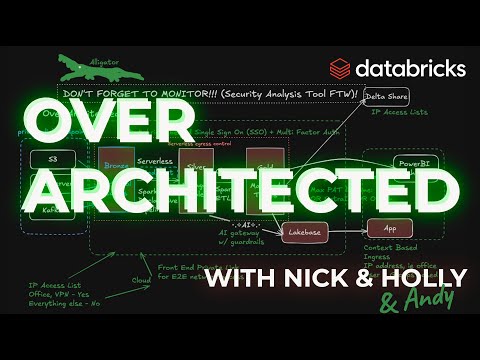
So we've got some interest from some various data sources. We've got just kind of some buckets, some SQL servers, some various kind of data sources. We then have some data in bronze, silver, and gold. And we're doing that with a kind of external tables and manage tables and a mix of serverless and non-serverless compute. Uh we also have a bit of AI in there as well. You can tell I made this cuz I've got no idea what that does specifically.
1:26 Identity and access management
And then with that final data, we then want to put it into a final place for people to use. And that's a PowerBI dashboard and some delta sharing. maybe putting it into lakebase and then putting it into an app. And I think in our prep notes, we said we wanted to have something like um uh a retailer as this example, but candidly I think this looks like a lot of people's architecture that they might have in their company. , do you want to take us through the first thing that is wrong with our architecture and how we could improve on this? >> Yes. it's bad.
There's a lot of things that you would use to secure your data bricks workspace that aren't necessarily called out specifically on here. So it might be the case that the and some versions of data bricks you get some of these things for free. So like for example um if you're using Azure or GCP data bricks then you get single sign on configured like for free. Um, so you don't necessarily like that's just kind of like uniformly applied.
But if you're using AWS and it is something that you have to configure. >> Sorry, I'm going to stop you there. This is not a bit I am so bad at security. What is SSO? Why do we care about it? Why do we like it? >> We talked about earlier about the you like the retailer scenario. And part of the reasons that we discussed that was cuz this year in particular, there have been a number of kind of like um high-profile hacks and attacks against um specifically UK retailers.
I'm not sure what groups have against the UK or it's its retailer companies. It breaks me that if you want to be like a digital Robin Hood, there are probably better targets to go after. >> No, steal from the co-op. Do it. Do not steal from the co-op or any other supermarket. Oh, ju just don't steal. Okay, >> first first stage the attackers target getting hold of your credentials. And they often do this via things like fishing attacks um fishing which is like phone phone based >> and sorry when you say credentials you mean like the login details, right?
3:38 Programmatic access controls
So your username and your password. >> Yeah. So generally the first kind of step that they would try and do is get hold of your username and password so they can try and log into your resources. The next step that they often have hurdle that they then have to overcome is that most companies now have multiffactor authentication configured. And then the third step is once they've kind of like overcome these these hurdles, what can they do with those credentials?
And so I often try and bucket like the security features that we have into three kind of main goals that they're designed to meet. So the first is making it harder for the bad guys to get access to your credentials in the first place. The second is making it harder for them to use your credentials if they do get access to them. And the third one is like we have this saying that data is your moat, right? So like protect your moat, build a moat around your moat if that makes sense.
But yeah, build a moat around your data. >> Moat squared. >> Yeah. usernames and kind of passwords all over the place that we have an identity provider that manages the access to our applications. um that kind of manages our our username and password um on our behalf. You don't need to have a different username and password for each app and you don't always have to enter them like when you log in in the morning then you you sign in and then from then on you can kind of like just browse all of the all of your apps. >> So Nick, can I hand it over to you?
Can you add SSO to our diagram? Yeah, I just to confirm SSO stands for super secure something. >> Yeah, >> see guys, that was supposed to be funny. >> Uh, well, it's not going to cover the non red stuff. So, the red stuff is like data bricksy things. >> Oh, okay. Well, we need data bricks. We need data bricks somewhere here then. , >> that's like the red stuff. >> Okay. The red stuff. >> What I would kind of do is >> Yeah, walk me through this. >> Yeah.
So, can we expand out the PowerBI the delta share and the app to give us a bit more room and then um and then we'll apply the single sign on box to the stuff like left of that. the most privileged um activities that we're doing the building of the data like like using AI on the data putting in a lake base and all all of that stuff is going to be done by the end users of our organization. So yeah so >> all right >> that looks good to me >> pardon my ignorance so like multiffactor authentication is part of single sign on as well.
Yeah. So I would add plus yeah plus MFA. So single sign on plus MFA. So one thing that's important to note is that um if you bring your own identity provider and most customers will um configure multiffactor authentication within the identity provider. We do have on AWS specifically we do have the ability to offer multiffactor authentication through data bricks. Um but where data bricks is natively integrated with enter ID and Google cloud identity we like that feature isn't available because most customers would just configure it there um anyway which they'll be doing across their like kind of like cloud platform. >> Sorry the multifactor authentication that's where you like get a text message or like an email to be able to log on. >> I have a I have a question. >> No no go ahead.
Sorry I'll ask. I was just going to say something that you have. So it's like a phone. So it kind of is the idea that it strengthens that username password combination by like if someone had to like stole your credentials, they would also potentially need access to your phone in order to log on as well. What was your question,? My question is if there's any difference between um SAML um like the different protocols that you enable for single sign on. >> I'd say SAML version 2 is like historically what most people used.
Um OIDC kind of gained in popularity. Um I think it might have been book that came up with the O protocol, but it's it's gaining in popularity from a security perspective. I think most people consider them to be reasonably equivalent. um OIDC and OOTH by extension has the advantage of like they thought about kind of like how you apply this to like token based access and so more and more organizations so it's not just about user like login it's also about programmatic access and so more organizations are starting to move towards OIDC but um from a security perspective I think most people consider SAL version 2 and OIDC to be like secure >> okay or cool >> oh and then So programmatic access is a really interesting point because we've got PowerBI here as well.
9:04 Monitoring token security
And so uh I think I've only ever set it up with a PAT token before, but I think there's other ways that you can do it now as well. >> Yeah, >> you're going to tell me that's wrong. >> Um so there are there are ways that you can make PAT tokens slightly better. um such as I think now you can configure like maximum lifetimes on the like so you can set up a rule with um the token management API that says a user can create a pat token but it it like it has to be rotated every 30 days basically.
So um again okay making it harder for the bad guys to get access to your credentials because if they do they've got a narrow window with which they can use it. Um generally if you're using PowerBI and you're an Azure customer um then we support essentially like userbased federation. So you can login with your enter ID credentials to to PowerBI and then there the benefit of that is there's no kind of like passwords or anything knocking around.
Um the alternative for customers on other clouds um is to use essentially oorthth tokens. Aorth is preferred to PAT because it generates under the covers it generates tokens that are only valid for an hour. If if your token your credential somehow gets into the hands of the wrong people, you're kind of narrowing that time window in which it's it can be used by them. >> But what happens if I'm using PowerBI for longer than an hour though?
Does it like rotate it on my behalf if I'm using Entra ID? Um or do so it just sets it up and it does it and you don't have to do your own key rotation and so you just set it up once and that's it done. >> Yeah. And it's the same with OOTH. So OOTH has been designed as a protocol that automatically generates these shortlived tokens in the background um so that you don't have to keep on kind of like logging in or changing them.
It just does it for your on your behalf. >> Uh oh maybe there's something else we should mention about uh pat tokens. If you are going to use them, you should not be pasting them in plain text into any of your code. And if you work at data bicks and then you check that into a repo, all of these alarms fire off and you get really nasty emails from people telling you that you're really incompetent. Don't ask me how I know.
It's definitely not firsthand experience. Um there's a secrets feature, isn't there? Where you can have like secrets and then the scope of the secret. Um that doesn't necessarily like negate the some of these elements and you still have to rotate them manually. But yeah, don't do that. My pet tokens are literally everywhere. create a PAT token that was valid for like 9,999 days or something. So, maybe the maximum is something like 90 days.
And if we we have a loads of stuff going on behind the scenes. >> It's more I know >> more. years. allow them to monitor it better so that people like don't do like that in the account console. There's now a PAT token report kind of dashboard that you can go to and you can look at all of the tokens that anyone's created on all of your workspace. see that created one that's valid for 700 days and revoke it and stuff like that.
So, um we also as a kind of like to help customers prevent them from shooting themselves in the foot behind the scenes, we clean up pat tokens that haven't been used for 90 days. Um so, so, if you haven't used your pat token in 90 days, it may not even exist anymore. We might have done that tidy up for you. >> I literally misplaced them. So I figure security through obfiscation and you know >> Uh is that also next security feature is if you don't know it no one else does. and actually like some of the attacks that we've had this year have shown like and the year previously um not mentioning any names um have have shown um the real importance of like this as an additional control.
13:34 Network perimeter protection
Um the reasons why is that actually like hacking groups like the group that declared war on UK retailers um have shown that they're really good at bypassing MFA and single sign on. The way that they often get access into these organizations is that they call the help desk for that um that company and they do social engineering so that they find out enough about someone to be able to um to pass the security checks and like unlock their username and passwords.
They then move on to the multiffactor authentication piece. At data bricks we have like these things called 502 keys which are like physical like they use like biometric fingerprints to essentially identify them as us. And so like it's a stronger authentication than just an MFA that you just acknowledge on your phone for example. Um, the problem with the MFA that you acknowledge on your phone is that these hacking groups have shown that basically if they spam someone for long enough, they're more likely to just be like, "Leave me alone." and just say, "Okay, I accept the prompt."
And then the problem is is that gives the hacker access cuz they've got the credentials. where these kind of additional controls like we're going to talk about like IP access lists come come into play is that even at that point um if if data is configured to only allow connections from specific like trusted networks even at that point although they've got the credentials and they've passed the like multiffactor authentication tests they still can't actually log into the workspace because when they try to we'll say like no you're not from a trusted network.
So they then have to try and be able to get onto the customer's VPN or something like that which just adds another kind of barrier. All right. So IP access list I have no idea how I'm going to draw this. And we can say that if it's kind of like from the office uh what's the broadest like do we see like a geography for people working from home or do we see like a country or >> Yeah. Usually with IP access list they'll they'll allow list like connections from their office and their VPN.
So they'll have like a VPN that's installed on all the their laptops. Um they wouldn't often go to the granularity of specific countries. Um that kind of access is possible more often with front-end private link. >> All right. So how is that different from a front- end private link? >> Front-end private link essentially makes the endto-end connection between your users and your databicks workspace over private networks essentially.
So these are like dedicated um kind of tunnels between your users and like over your from your onrem office to the cloud and to data bricks. Um from a security standpoint I think like most of the time it's probably overkill for a lot of customers but some customers have like just a a company policy that everything has to be over private link. >> You spoke earlier about a moat and then a double moat. I would like to know more about this double moat, please. >> Sorry, we're going to talk about three features.
17:02 Serverless egress controls
So, maybe it's a triple moat. I don't know. Maybe it's a I don't even know what that would look like. >> One's got crocodiles in, one's got sharks, like one's got stingrays or something. So I guess the first thing that I would say about this architecture is we're using serverless compute to like transform our data and then serve it um like via AI and and lake based to our app. Um we we would recommend for customers like as an additional protection so like kind of like building a perimeter around all of your data um to configure serverless egress controls.
Um, so these would be kind of like that serverless compute. It would wrap them in effectively a distributed firewall that would allow your users to write to your managed tables for example, but wouldn't allow like a bad actor if they got hold of your credentials if they were able to use them to write them to like a public S3 bucket say and kind of like dump your data out to the internet where they could try and ransom it back from you or sell it to dodgy organizations.
I don't know how to add that to the diagram. I mean, it's like I mean, I'm trying to find a metaphor for how to think about it, right? So, it's like kind of it's like AVAC but for IP lists, right? It's like I have my IPs and now I have some extra stuff for IP access list. Is that is that fair? I guess we split kind of IP access lists as being ingressbased controls. So, these are how people connect into to data bricks whereas serverless egress controls are about how serverless connects out.
They would probably wrap this kind of Can you see that? >> And now I know why my response was so so clueless. It's because I thought we were talking about contextbased. Never mind. Now, now I realize what we're talking about. >> That's my fault. Go ahead. Add it. >> I would say something like this. We would call this. That's perfect. I mean, you're better than me at it. You just you just I'm out of a job now. , you are the new co-host of Overarch Architect. got a guitar in the background and everything studying all of the previous sessions.
Yeah. >> All right. So, that's all serless stuff and writing out to various places. So, in terms of setting this up, do you have to like specify the places where it's allowed to go to? So, it's like allowed to go within my account or it's allowed to go like within Unity Catalog and that's fine. Is it a flexible wall that you can choose? How what are the levers that you pull to change that? Like is it an IP list? Like I'm I'm still quite confused by it in practicality. >> Sure.
Yeah. So we try and make this as easy for customers as possible and we automatically add like your Unity catalog locations for example um to that perimeter and like any kind of like connections that are internal to databicks that where some a service needs to talk to a service. The only thing that the customer has to do is essentially something that gets added on top. So if they configure serverless egress control, it's based on this network policy which is created at the account level and you have two modes of operation for the network policy.
20:29 Storage and network hardening
It's either dry run in which case it will allow any additional connections through but it will log them to a system table so that you can see what the effect of that policy would be. Um or you can add enforce. So if you add enforce then by default you'll still be able to access all of your Unity catalog data because that's within your perimeter. But if you try and access any S3 buckets that not not part of like you know not part of your Unity catalog architecture with you know storage credentials and stuff then they'll get blocked.
And similarly, if you try and access like any like network locations like get data from a rest API or something that will get blocked as well because you would have to specifically add that to your network policy. >> Oh, so it accounts for data reads as well as data rights. >> Yeah, >> I think I was a bit confused about that cuz I thought it was only rights but no it's it's any movement of data. >> Yeah, is it applied at any kind of outbound connection?
So in order to read or write logs like it needs to make an outbound connection and it will just like serverless has kind of inbound like protection by default in that it's in a private network. The private IPs aren't exposed outside of that network. We only allow connections from the control plane and so you can't come inbound to serverless um anyway. Um and so serverless egress controls apply specifically for outbound connections and that any kind of read or write would make an outbound connection and at that point we would say like should this be allowed and block it or allow it. >> Okay, so I think that was like mo number one.
What is mo number two with the alligators? Essentially, most cloud um services allow you to configure things like, for example, an S3 bucket or an Azure storage account, some kind of concept of a storage firewall, um which allows you to basically at the at the storage layer approve kind serverless for example you can configure a private link endpoint um within serverless um and at the storage layer say I'll only allow connections from from that private link endpoint um and so again it's kind of like an additional layer that you know the bad guys would have to have to um kind of compromise in order to access your your data.
Sorry, am I drawing this right? Is it so it's it's a setting for these things and then you have to set that up to connect to serverless. >> So you create the private endpoint in in serverless um and then you essentially add that endpoint to your S3 buckets. So the private endpoint kind of sits in the data serverless network. We create that specifically for your customer and we only allow like your workspaces compute to connect to it.
Um, and then customers can then add the actual endpoint to their like their storage firewalls, their S3 bucket policies to say only this private endpoint can access my data. And one of the kind of scenarios where we've seen really bad breaches in the cloud before are where things like S3 buckets have kind of had credentials that have been lost and they this is basically IP access lists for this S3 essentially or front-end private link for S3. can controlling what can connect to my S3 bucket and ensuring that if these S3 buckets if someone in my AWS account say for example accidentally generates like an access key for these S3 buckets and that gets link leaked onto GitHub and then someone has access to that they still need to be on like an approved network in order to access it.
So, it's one thing to like knock lock everything down and that's fine if you just work with people that are in your company and they've all got the same loon and yada yada yada. Uh, but what about sharing data with third parties? So, we've got things like in PowerBI here which does kind of have access u but also things like an app as well. So, if you build that within data bricks but you wanted to share that app wider outside your organization, you've got to collaborate at some point, right? like how do you not kind of like dig yourself into a hole um into another mode to the wrong kind of mode shall we say and you want to still be able to share data.
24:58 Collaborative and AI security
So maybe if we move the app outside the green kind of thing, this is now kind of it's in our domain, but because like the partner isn't managed by our identity provider and like isn't on our VPN, we need different controls for these. And let's say we do the dashboard, the delta sharing, and we do the PowerBI app. So this is specifically the use case that we built contextbased ingress for. So contextbased ingress is is kind of like IP access lists in that you you basically bring a set of allowed IP addresses from that represent networks that you trust but probably don't have the same trust level as the your office or your VPN.
Um and the context based part is that IP access lists are pretty like broad, right? they're not really identifying more than what location you're coming from. Whereas context brace inress kind of adds like the who, the why, the what. And so you can create rules that say this group of users from these IP addresses can only access data bricks apps for example. >> Okay. So there's kind of like IP address i. e. an office.
Uh and then also like user based as well or groups based. >> Yeah. Yeah. Yeah. seem to be a certain person as well as in a certain location. >> Mhm. >> What are your thoughts on our architecture so far? Have we dramatically improved it? Now, >> ultimately, it's very hard for someone to say that they're like, you know, then they're going to have to jump through swim through a lot of moes with sharks and alligators in.
Um, and I think that's effectively what we've done here. So, just to finish off the piece on the right. So, for the PowerBI dashboard, you can also use the same contextbased ingress. Um, for delta sharing, we have a a different set of IPles. So, you can set IP ales on the delta share. So, you just do something similar. They are different to the IPEL on the list on the left, but they're specific to delta sharing. Um, um, yeah.
And then PowerBI would just you'd use just use the contextbased ingress um again um to secure those. >> Uh this is all contextbased. Okay. >> The only other thing that we could maybe mention is on your little sparkly AI box. Um we could add a reference to AI guard rails. Um, so within databicks, we have AI gateway and you can automatically configure AI guard rails for all of like your interactions with AI models. So trying to detect kind of like bad actors trying to do things with your um with your models essentially. >> Oh, didn't you use this for um the app for Summit last year?
Yeah, you can set up things like uh PII uh guardrails like keywords that you don't allow, things like that. >> Uh and sorry, I can see one final thing that's written in the notes, if you want to mention that. >> Oh yeah. Um I I was trying to remember. Um actually two two things I would call out. Um so firstly, often configuration drift is a real thing. The amount of times that a organization will set up all of this stuff really perfectly on day one. um when they first go into production and then like have no concept of like whether all of the controls are still in place 2 years later like have have one of their admins just removed like added I don't know their home address to the IP access list just cuz it makes their their life easier or something like that.
We have this thing within data bricks. It's actually a labs project called the security analysis tool. Um, you can set this up and it will run and basically call the rest APIs for all of your workspaces and give you like a report that's shows you where these controls are configured and where they're not. And it's really good for customers to keep on like not just like how secure was my workspace when I deployed it four years ago.
29:15 Security drift and wrap-up
It's like how secure is my workspaces today. I think the point I added was about ensuring that you're monitoring all of this as well, like like you probably want to know if someone is trying to brute force like your identity provider. So, it's not just a case of configuring that, but also setting up alerts that says someone keeps trying to log in and they're failing authentication and stuff like that. >> All right, do you want to add the security?
What was it? Static analysis security to what what is it called? Sorry, >> the sec the drift configuration drift. >> Yeah. So, you got configuration drift you could do with security analysis tool. Uh and then also monitoring on system tables. >> I don't know how to add that guys. >> I would a giant box around it all. >> I would just add it like at the top. I I wish I could just make it blurry. Wouldn't that be Wouldn't it's just you blur it out? like >> I'm just going to hover around you anyway." >> Yeah. , take the credit and pretend he's typing at the same time. >> Something really passive aggressive like that. >> Yeah.
Okay. >> Okay. That's way better than what I would have done, Um like said, like this is not every single data brick security feature, but these are probably the main ones that apply to most people kind of generic circumstances based on this. So, we normally rate our architecture each month. Um, but, I feel like uh this month is actually quite competent and these are the kind of things that people should should actually be doing. >> This is embarrassing cuz like this is the best one. >> Yeah, they uh it's fine.
- It's never going to be 10 out of 10. No, I think it's a nine out of 10, especially for We've put in frontend private link. Uh, which I guess is not for everyone. It's only if your company super duper needs it. I know what would make this a 10. If you could draw an alligator on here, I think that would make it a 10 and then we can have the perfect architecture. >> Actually, a 10 unfortunately would be to delete the whole thing.
Can't break into something that doesn't exist. >> Yeah. Excellent. Uh, I love it. over to a 10? I'm going to leave a link to in the description to all of the things that we spoke about today, including that security analysis tool, but also the best practice guide as well. So, if you want more detail on security for specific things, you can take a look there. Next month we will be back with a regular episode where we go through a lot of the updates including some of the ones from this month as well that we might have missed because it has been a bit of a quiet month.
Until then we'll see you next month and thank you so much. Bye bye bye. >> Stay safe out there. >>, you got to wave. You got to wave. Say bye. >> Bye. >> Yay. He did it. He did it.
Learn more about the Databricks Data and AI platform.
The information provided herein is for general informational purposes only and may not reflect the most current product capabilities or configurations.