Agent Bricks Knowledge Assistant Agent
Summary
- Knowledge Assistant Agents: Agent Bricks Knowledge Assistant creates question-and-answer chatbots over your documents, combining vector search for unstructured data with text-to-SQL for structured data.
- Quality Improvement: Feedback from subject matter experts is automatically incorporated, using natural language feedback to enhance the agent's response quality over time.
- Multi-Agent Systems: Agent Bricks supports combining multiple agents, such as pairing knowledge assistants with SQL agents to handle both unstructured documentation and structured inventory data.
Agent Bricks Knowledge Assistant Agent
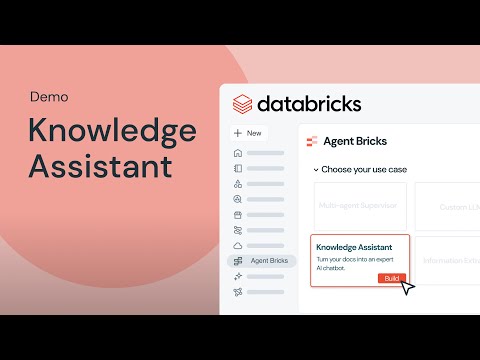
Agent Bricks is a new, automated way to create high-performing AI agents tailored to your business. Just provide a high-level description of the agent’s task, and connect your enterprise data — Agent Bricks handles the rest. Agent Bricks are optimized for common industry use cases, including structured information extraction, reliable knowledge assistance, custom text transformation and orchestrated multi-agent systems.
This demo shows a knowledge assistant to create a question-and-answer chatbot over your documents and improve its quality based on natural language feedback from your subject matter experts.
Chapters
0:00Introduction0:07Setting up the knowledge base2:16Configuring and testing the agent5:00Improving agent quality6:56Multi-agent setup
FAQs
How do you set up a knowledge base for the Knowledge Assistant agent?
You can use PDF files or other documentation stored in a volume, or point directly to a vector search index if you've already ingested the data. The Knowledge Assistant creates a vector index automatically if needed or works with an existing one.
Can the Knowledge Assistant handle both unstructured and structured data?
Yes. This video demonstrates combining a traditional RAG approach (vector search for product documentation) with text-to-SQL (querying inventory data). This hybrid approach handles both document-based questions and structured data queries.
Can enterprise search answer questions from dashboards and data, not just documents?
This video introduces the Agent Bricks Knowledge Assistant pattern on the Databricks Data and AI platform. Unlike traditional enterprise search limited to documents, the knowledge assistant can answer questions grounded in live dashboards, underlying data, and document repositories. The agent queries data in real-time and synthesizes answers combining multiple sources of truth.
How do I create a custom RAG agent for internal knowledge?
This video demonstrates building a custom retrieval-augmented generation (RAG) agent using Agent Bricks on the Databricks Data and AI platform. The knowledge assistant agent retrieves relevant documents, executes queries against your lakehouse, synthesizes information, and provides grounded answers. The video shows how to fine-tune the agent for your knowledge domain and integrate it into internal applications.
What are the best text-to-SQL tools?
This video shows how the knowledge assistant agent uses text-to-SQL capabilities on the Databricks Data and AI platform to answer questions grounded in data. Rather than limiting answers to pre-built documents, the agent can query your lakehouse directly using natural language. This enables real-time, data-driven insights from internal knowledge systems.
Full transcript
0:07 Setting up the knowledge base
In this demo, what we're going to do is we're going to look at data bricks new agent bricks knowledge assistant which helps us do a traditional rag chatbot. Um what we're going to do is we have a bunch of products and we have a bunch of product documentation. We're going to build a rag chatbot on that to help us answer questions about certain products. Um maybe help us troubleshoot, debug those products. Um, we're also going to add in bonus content where we're going to combine a knowledge assistant with a a genie space or genie spaces or text to SQL.
It's structured data uh on inventory information to help us find inventory for those products. Um, so this will combine sort of a simple rag which is more that vector search agent kind of scenario with also a text SQL kind of rag. So rag is is usually geared towards unstructured data but it technically retrieval augmented generation can refer to structured data retrieval as well and so we'll look at combining those two elements together.
Uh in data bricks first uh you need documentation that you can pull in. So with the knowledge assistant you can do it one of two ways. You can have files like PDF files or whatever that has that documentation in a volume. Um, or if you've already ingested that data into your system and you've put it into a vector index, you can uh just point it to your vector index directly. That's what I have here. I've brought in this product documentation.
I have a vector index of it out there already. Um, if you point it to those files, it'll build a pipeline, ingest those files, and put them into a vector index for you. And so, no matter what, you'll end up with a vector index that you can you can work with. Um, so where agent bricks is is down here on the left. Um, once it's enabled, you'll see that it's also in in beta mode. U make sure to, you know, that's very clear and so that it' be enabled as a beta for your workspace.
Um, there's several different bricks available here. As I said, we're going to be working with the knowledge assistant. So, we're going to click on build there. So, if I were to just type in, you know, a generic name um assistant to help us uh to help answer questions about product information, right? Um our knowledge source, it's not UC files, it's actually a vector search index. Uh we talked about that already. So, we're going to find our vector search index and choose that.
2:16 Configuring and testing the agent
Um doc URI column. This is usually looking for a URL that references the documentation on the internet. I don't have that column, so I'm just going to choose the product ID. It's a unique column. Um, this will be useful if you do have it because it'll write out footnotes and provide hyperlinks so someone can click on that and go actually look at the source material uh behind an answer. Um, text column. This is the column that is being used to search through.
Uh, so we had built out that index doc. That's where the column is for the content. Um, and then we're going to describe it. Um, give it product documentation. You can add multiple sources. We're not going to do that here. You can also add additional instructions. You know, a lot of times I just start with this. You are an assistant to help answer questions about product information, right? Then I click create agent.
We're not going to go through all that and let it get created. I've actually already done that. So, you'll see here this is uh KA product doc. Um has that same type of information has the product docs information there. And if I created it, I would land on this page. I can come over here and I can click how do I connect uh my Soundwave Pro 500 to Bluetooth. So, I have uh a headphones Soundwave Pro 500 and I'm asking it a question.
So, I'm mimicking being a customer coming in um and asking this question. I'm trying to get my my Bluetooth set up on some headphones and I'm I'm asking the system for this. So, what you're going to see is that this knowledge assistant is going to go and look up information. Has a whole bunch of thought patterns that we can go look into. Um you can see how it's looking up different informations. Uh writes it all out and it gives us some good tips, right? ensure the headphones are off.
Enter pairing mode on your device, blah blah blah. Um, if the headphones don't appear in the list, uh, and then gives us even some uh, support information with links and everything to show us where all this this kind of information could be found with the footnotes. So, very comprehensive, right? When we're done with that, we actually have the ability to come over here to improve quality. So what you can do is you can add a number of questions which I had done earlier.
5:00 Improving agent quality
Um I only have one but that you can set up in here. So you could set up a number of different questions. Uh you can then create a labeling session. Um so if we open that up uh this can go to uh experts in your domain. Uh they don't have to be developers. uh they can come and access this screen and then they can work through uh not only do you have that question but you have the answer provided by the chatbot. So someone can come in here and they can provide some guidelines.
You know this is a fairly long answer so I'm telling it to make the answer more precise and I'm saving it. I can also come in here and I can provide a corrected agent response if I think it's wrong. Um, and then I can click through all the different questions, save out all the feedback, and all that will get saved into the labeling section. Once it's done, I can then just merge that feedback back in. And that feedback will come in and land uh over here in the guidelines.
And then the system will use this information to try to improve its answers. Uh, developers and things or whoever owns the knowledge assistant can also review this information. maybe they make adjustments to the instructions and stuff to try to improve the solution themselves. Uh so you can see that you get this full loop and ultimately building uh your your rag endpoint that endpoint. Um you know this is a little little testing area.
You wouldn't expect your users to work here. You could open it up in the playground as well in data bricks. Uh but it's a it's an API endpoint that's available. So now you can incorporate in any UI that you want. just tie into that API and be able to uh include it in any app that you have. Now, as I said, we've got some bonus content as well. So, I'm going to go over to this uh knowledge expert. So, this is using a different agent brick that we have.
6:56 Multi-agent setup
It's called a multi- aent supervisor. So, in this multi- aent supervisor, you can include uh multiple agents that are out there. I've added in that product documentation one that we were looking at earlier and I've also added in an inventory agent. Um, so now I'm coming in more as a user that's trying to buy a product and I want to be able to use it with Bluetooth. So I'm going to ask this question. What headphones uh support Bluetooth?
And I'm going to go ahead and cue up my next question while it's answering this. Uh uh do what soundwave ones do you have in stock? Maybe do you have available? Customers don't ask what's in stock. Right. So what Soundwave ones do you have available? So right. So um we see that it did ask the product documentation uh agent for information on those headphones. This is the response from that agent and then our expert rewrote that information to provide back to the end user who asked the question.
So these are the list of headphones that are available. Um maybe I prefer Soundwave brand. So I'm going to ask you know what Soundwave ones do you have available? I'm going to ask that question. Um and as you see uh it now is kicking off not to the product documentation expert but to the inventory genie. Um, and so that genie is going to go and look up information. And look, it found some uh, and gave us a product quantity of 24.
So, uh, there's one of these available. Um, and it says it's the only one that we have in our inventory. Um, and asks if I'd like some more information, that kind of thing. So, if I also had some tools here around placing orders and stuff, maybe I could request that order to be updated. But that is uh our our demo today. This also has an improved quality loop. Uh so you can improve how this expert uh runs information between these two uh agents.
Um but you know the same same kind of effort. So yeah hopefully this helps you see how quickly and easily you can start with your rag development within data bricks using the concepts that we just talked about.
Learn more about the Databricks Data and AI platform.
The information provided herein is for general informational purposes only and may not reflect the most current product capabilities or configurations.